dynabook Portégé X40-M 14” Business Laptop, Intel Core Ultra 5
The only machine here with a Core Ultra processor, 16GB DDR5 RAM, and Thunderbolt 4, per its own listing — the clearest spec advantage for demanding coursework.
Back to School Tech
Chromebooks, a full Windows ultrabook, and the accessories that actually keep a dorm desk usable — matched against what their own listings promise.
The only machine here with a Core Ultra processor, 16GB DDR5 RAM, and Thunderbolt 4, per its own listing — the clearest spec advantage for demanding coursework.
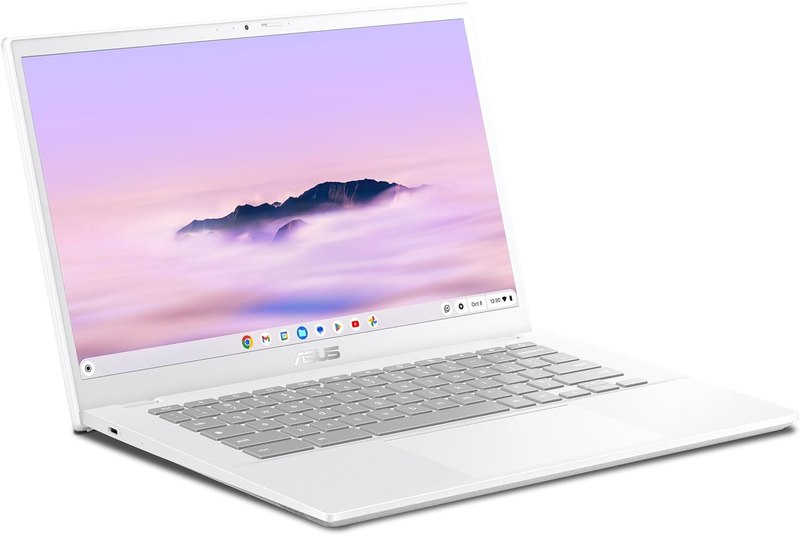
8GB RAM and a Core i3 processor put it a tier above the basic Chromebook on this list while staying in ChromeOS's simpler ecosystem.
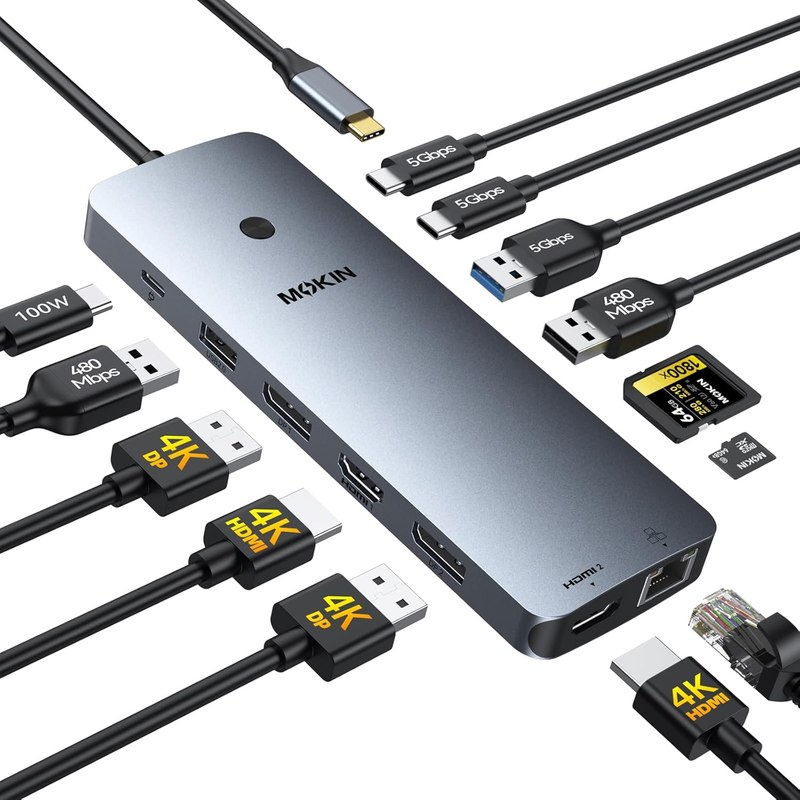
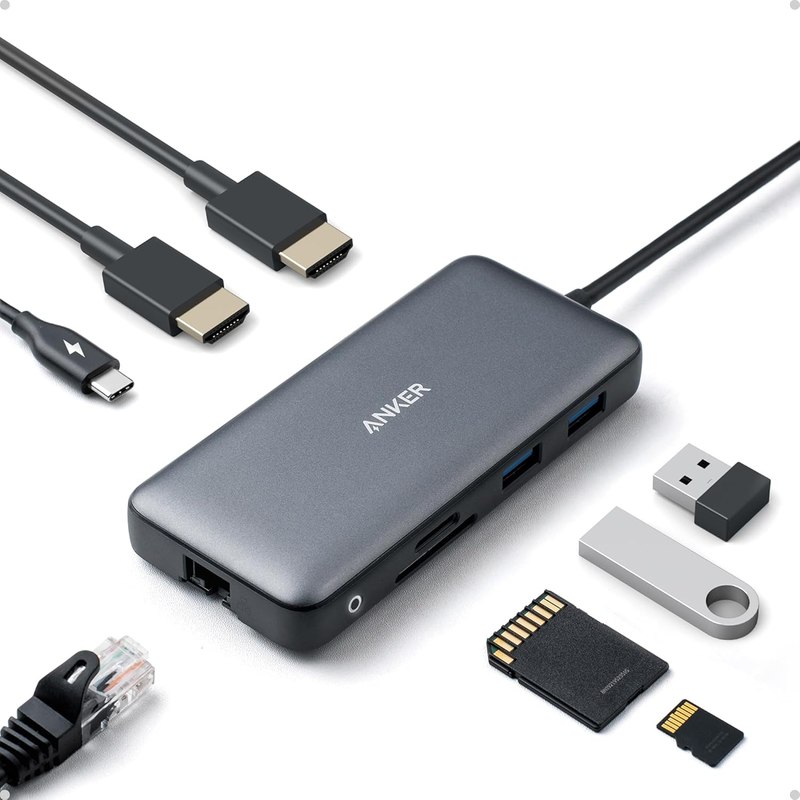
The only product listed with dual HDMI, dual DisplayPort, and triple 4K support for driving multiple external displays.
Qualitative on purpose. No prices — they move too fast for an article to stay true.
One winner per job, assigned only where this lineup genuinely supports a call.
Each links to a live Amazon listing that was opened and read before it went in.
Budget Chromebook
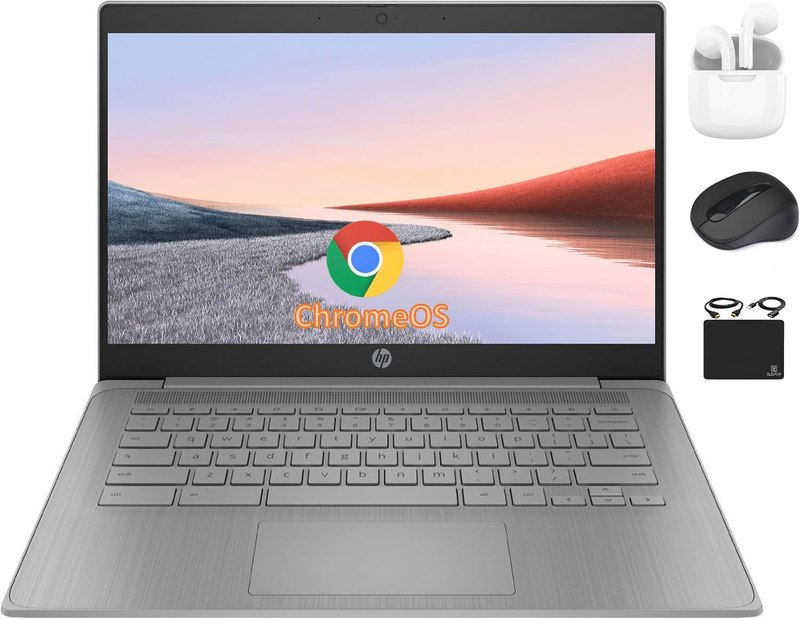
This is an entry-level Chromebook built around a quad-core Celeron processor, 4GB RAM, and a mixed 192GB storage setup combining eMMC and a card. The listing pitches it for students who mainly need web apps, document editing, and video calls rather than heavy local software. It comes bundled with an unspecified accessory. The trade-off is clear from the spec sheet alone: 4GB RAM is thin for running many browser tabs at once, so this suits light, single-task use rather than students juggling design or coding software.
Best for: Students who need a cheap, simple machine for browsing, docs, and video calls
Listed as: HP Chromebook 14" HD Flagship Laptop for Student Business, Quad-Core Celeron N4120 Processor, 4GB RAM, 192GB Sto
View on Amazon →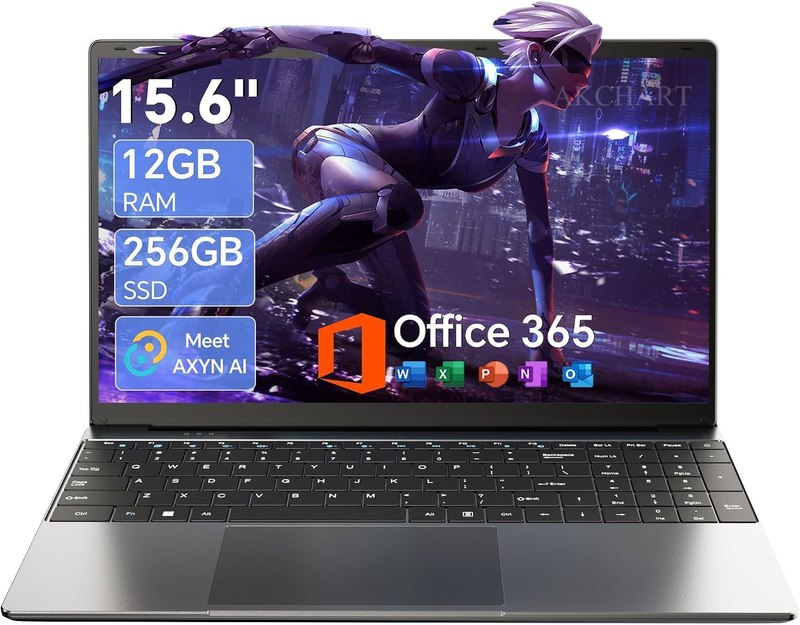
Budget Windows laptop
A 15.6-inch Windows 11 laptop with 12GB RAM, 256GB SSD, and Office 365 included per the listing, aimed at students who need actual Windows software rather than a browser-based OS. The IPS FHD display with a wide 180° viewing angle and a claimed 7000mAh battery suggest all-day use is the intent. A quad-core processor and Type-C/WiFi5 connectivity round out a fairly standard budget spec sheet. The honest trade-off: it's a general-purpose machine, not a performance one, so it fits writing, research, and streaming better than heavy multitasking.
Best for: Students who need Windows and Office but not heavy processing power
Listed as: 15.6'' AI Laptop with Office 365 12GB RAM 256GB SSD Win 11 Laptops | 7000mAh Battery, IPS FHD, 180°Viewing, Quad
View on Amazon →Premium business ultrabook
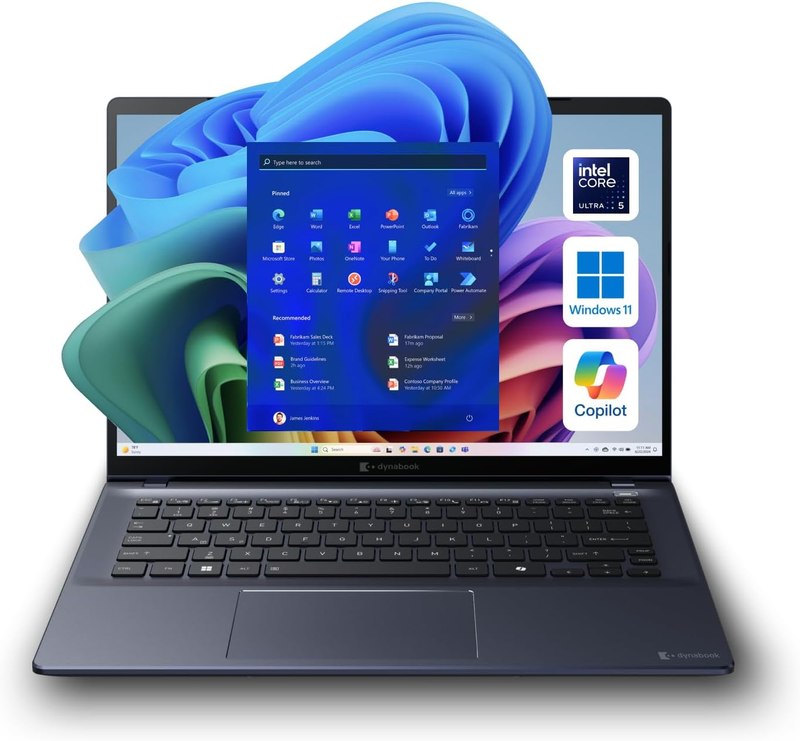
The dynabook Portégé is the most capable machine on this list by spec sheet: an Intel Core Ultra 5 processor, 16GB DDR5 RAM, 512GB SSD, a WUXGA display, and Windows 11 Pro, all in a listed 3.17-lb chassis with Wi-Fi 7 and Thunderbolt 4. That combination points squarely at students in demanding majors — engineering, CS, media — who need real multitasking headroom and fast wired connections for external displays or peripherals. The trade-off is that it's positioned as a business laptop, not a budget one, so it's for students who've decided the higher spec tier is worth it.
Best for: Students in CS, engineering, or media majors who need real multitasking power in a light chassis
Listed as: dynabook Portégé X40-M 14” Business Laptop, Intel Core Ultra 5 225U, 16GB DDR5 RAM, 512GB SSD, WUXGA 1920x1200,
View on Amazon →Mid-tier Chromebook
This ASUS Chromebook Plus sits a clear step above a basic Chromebook: an Intel Core i3-1215U, 8GB RAM, and 256GB of UFS storage, with Google AI features built into ChromeOS per the listing. The 1920x1080 display and 14-inch size make it a reasonable everyday-carry size. For students who want ChromeOS's simplicity but ran into the RAM limits of cheaper Chromebooks, this is the upgrade path — more tabs, smoother multitasking, still no local Windows software. The trade-off is the same one every Chromebook carries: you're limited to what runs in ChromeOS or the web.
Best for: Students who want ChromeOS's simplicity without the RAM limits of an entry-level Chromebook
Listed as: ASUS Chromebook Plus CX34 Laptop with Google AI, 14" Display (1920x1080), Intel® Core™ i3-1215U Processor, 8GB R
View on Amazon →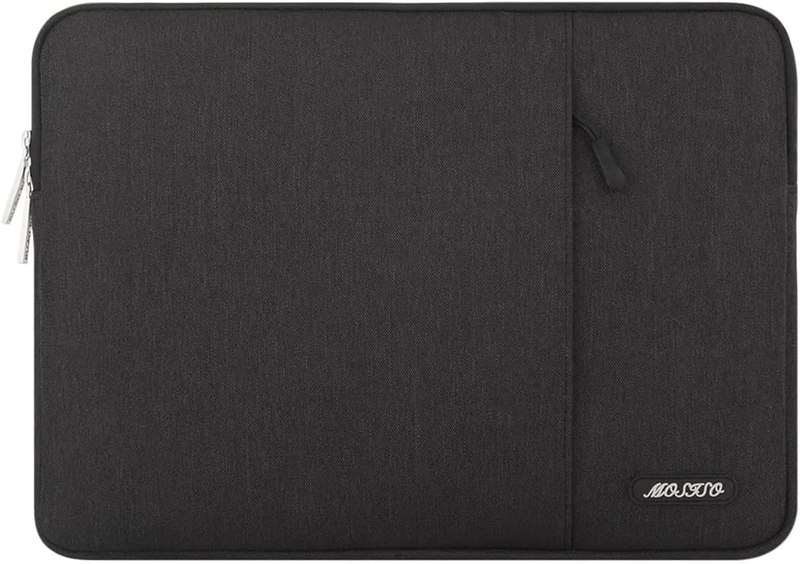
Laptop sleeve
A 14-inch polyester sleeve with a front pocket, listed as compatible with a range of brands including HP, Lenovo, Dell, and Asus. It's a straightforward protective case for carrying a laptop in a backpack, not a padded hard case or a rolling bag. The pocket is useful for a charger or a few cables. The trade-off is sizing: a 14-inch sleeve only fits a laptop close to that dimension, so it pairs cleanly with the smaller machines here and not the 15.6-inch one.
Best for: Students who need basic daily protection for a 14-inch laptop
Listed as: MOSISO Laptop Case 14 inch, Laptop Sleeve Bag with Pocket | Compatible with HP Lenovo Dell ASUS Acer, HP Stream,
View on Amazon →USB-C docking station
A 14-in-1 docking station listed with dual HDMI, dual DisplayPort, triple 4K support, 87W power delivery, Ethernet, and SD/TF card readers, aimed at students who want to turn a laptop into a dual-monitor workstation in a dorm room. This only matters if your laptop actually supports USB-C video output and enough power draw — the listing names Dell, HP, and Mac compatibility. The trade-off is that a dock like this is a desk-bound accessory, not something to carry to class.
Best for: Students setting up a dual-monitor dorm workstation off one USB-C laptop
Listed as: MOKiN Laptop Docking Station Dual Monitor 4K HDMI USB C Hub for Dell/HP/Mac | 14-in-1, 2 HDMI 2 DP,Triple 4K, 87
View on Amazon →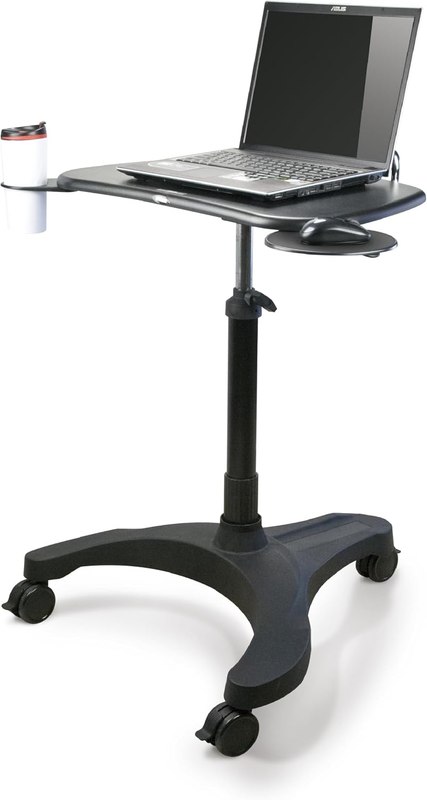
Mobile laptop desk
A rolling, height-adjustable desk with a pneumatic lift, mouse tray, and cup holder, positioned for home office or classroom use rather than a laptop itself. For a dorm room, this solves a real space problem — a desk that rolls out of the way and adjusts between sitting and standing. The trade-off is footprint: a wheeled cart takes up floor space that a fixed desk wouldn't, so it fits rooms with room to spare more than a tight dorm single.
Best for: Students who want a flexible, movable desk setup rather than a fixed dorm desk
Listed as: EHO Mobile Laptop Desk Cart with Wheels, Height Adjustable Standing Desk with Pneumatic Lift, Rolling Workstatio
View on Amazon →It depends on what software your program requires. If your coursework runs mostly in a browser — docs, email, research, streaming lectures — a Chromebook's lower specs are enough. If you need desktop software like specific engineering, design, or statistics programs, you need Windows, which is why a Core Ultra or budget Windows machine is on this list alongside the Chromebooks.
RAM determines how many things you can run at once without slowdown. 4GB is workable for single-task browsing but strains under many tabs; 8-12GB handles typical student multitasking; 16GB, as on the business ultrabook here, gives real headroom for heavier software or many simultaneous apps.
Only if your laptop supports USB-C video output and you actually want a multi-monitor setup at a fixed desk. It's not something you'd carry to class — it's a desk accessory for students who plan to do most of their work in one spot in their room.
No — sleeves are sized tightly to protect against scuffs and light impact, so a 14-inch sleeve is meant for laptops close to that dimension. Check your laptop's actual screen size and chassis dimensions against the sleeve's listed size before buying.
It depends on your room's floor space. A wheeled, height-adjustable desk is genuinely useful for switching between sitting and standing and can roll out of the way, but it takes up more footprint than a laptop stand or a fixed desk would in a tight single room.
There's no single best laptop here because they're not aimed at the same student. A Chromebook with modest specs fits basic note-taking and browser-based coursework; a Core Ultra business ultrabook fits students who need real multitasking power and modern port options in a light chassis; a budget Windows laptop with 12GB RAM and Office 365 splits the difference for general use. None of that matters if the accessories don't fit your setup — a sleeve only helps if it fits your laptop's dimensions, a docking station only helps if your laptop supports USB-C video out, and a cart only helps if your dorm actually has room to roll one around.
Affiliate disclosure. DopamineKart is a participant in the Amazon Services LLC Associates Program. As an Amazon Associate, DopamineKart earns from qualifying purchases — at no extra cost to you, and it never changes a pick. Sources. Every listing was verified live; nothing here was tested by hand. Colours, sizes and availability change — read the listing before buying.
How we review · Corrections: email us