DopamineKart · Legit

How to Build a Calm Homework Station in a Small Apartment

Start with five decisions: the station’s footprint, who shares it, where power is available, which supplies are required daily, and whether wall mounting is allowed. Then organize one compact surface so study, storage, and charging zones can overlap without preventing the space from returning to household use.

By the DopamineKart editors
How to Build a Calm Homework Station in a Small Apartment

Build the Station in Five Steps

1

Plan One Surface with Overlapping Zones

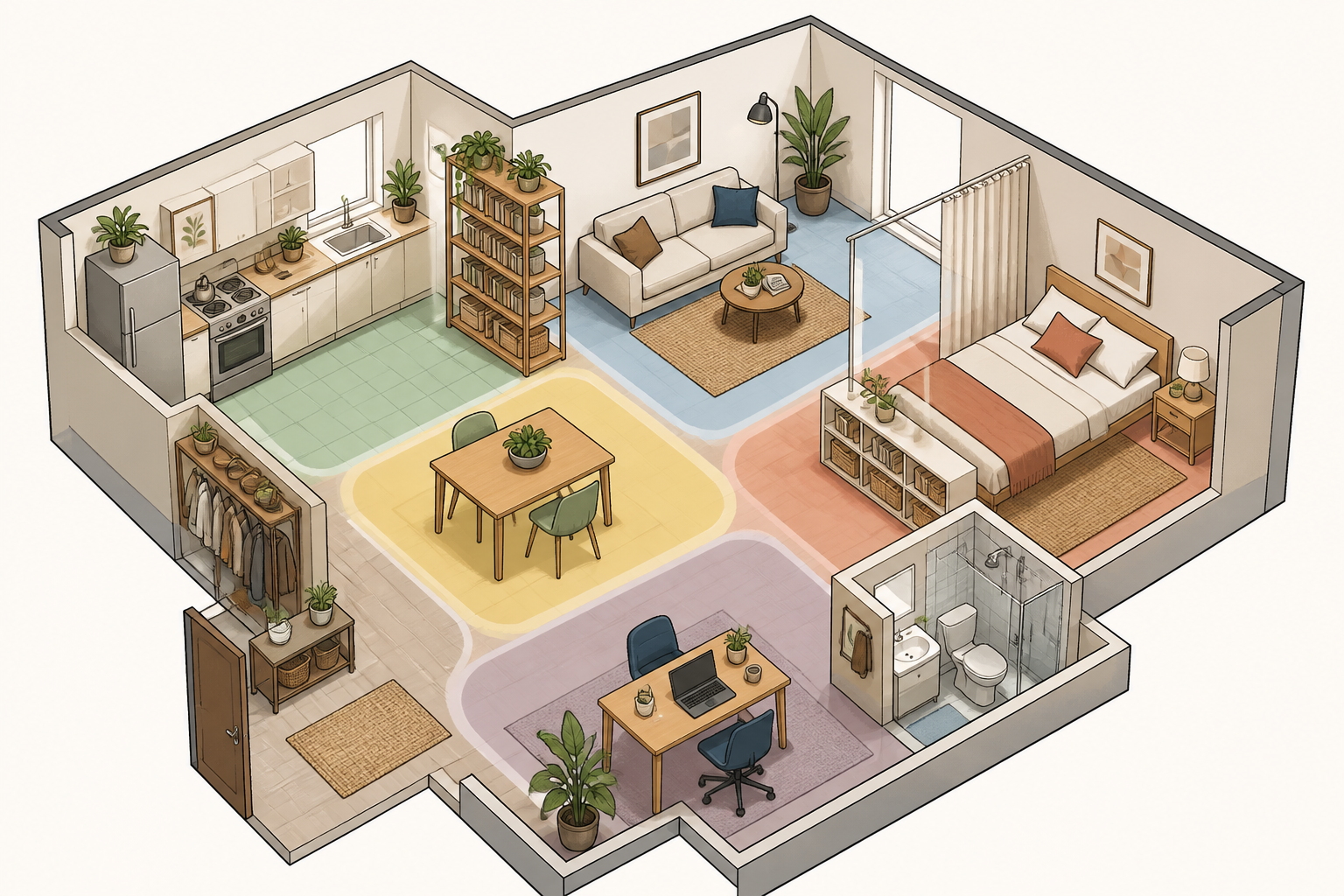
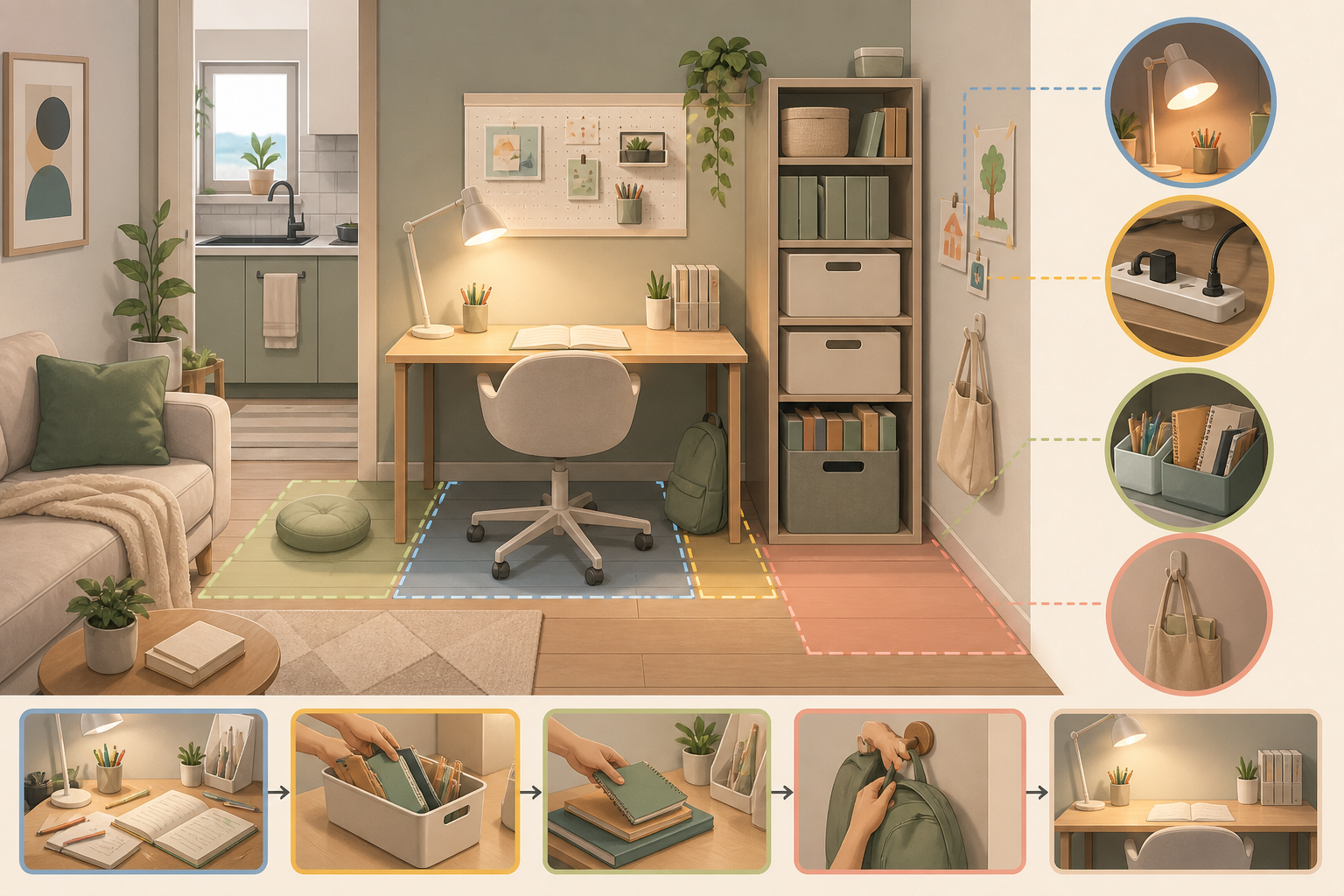
Choose one small workstation and divide it into a clear writing area, a supply area, and a device or charging area. Let these zones overlap when space is tight, but keep non-essential items elsewhere. At a dining table, make every zone portable so the surface can return to household use; in a bedroom corner, use furniture placement or a rug to distinguish study space from relaxation space. A shared sibling station can use the same zones in turn, with each user’s papers and supplies kept organized between sessions.

Layout: writing area centered, supplies and charging at the edgessmall apartment activity zones
2

Place the Screen and Task Light

Position the screen at a right angle to windows to reduce glare, then aim an adjustable task light at the work area without reflecting onto the screen. Use natural light where possible. On a dining table or compact desk, a clip-on lamp preserves surface space; where wall mounting is allowed, a wall-mounted light can keep the workstation clear.

Placement: screen perpendicular to the window, adjustable light on the work areacompact study lighting
3

Route Cables to an Accessible Power Point

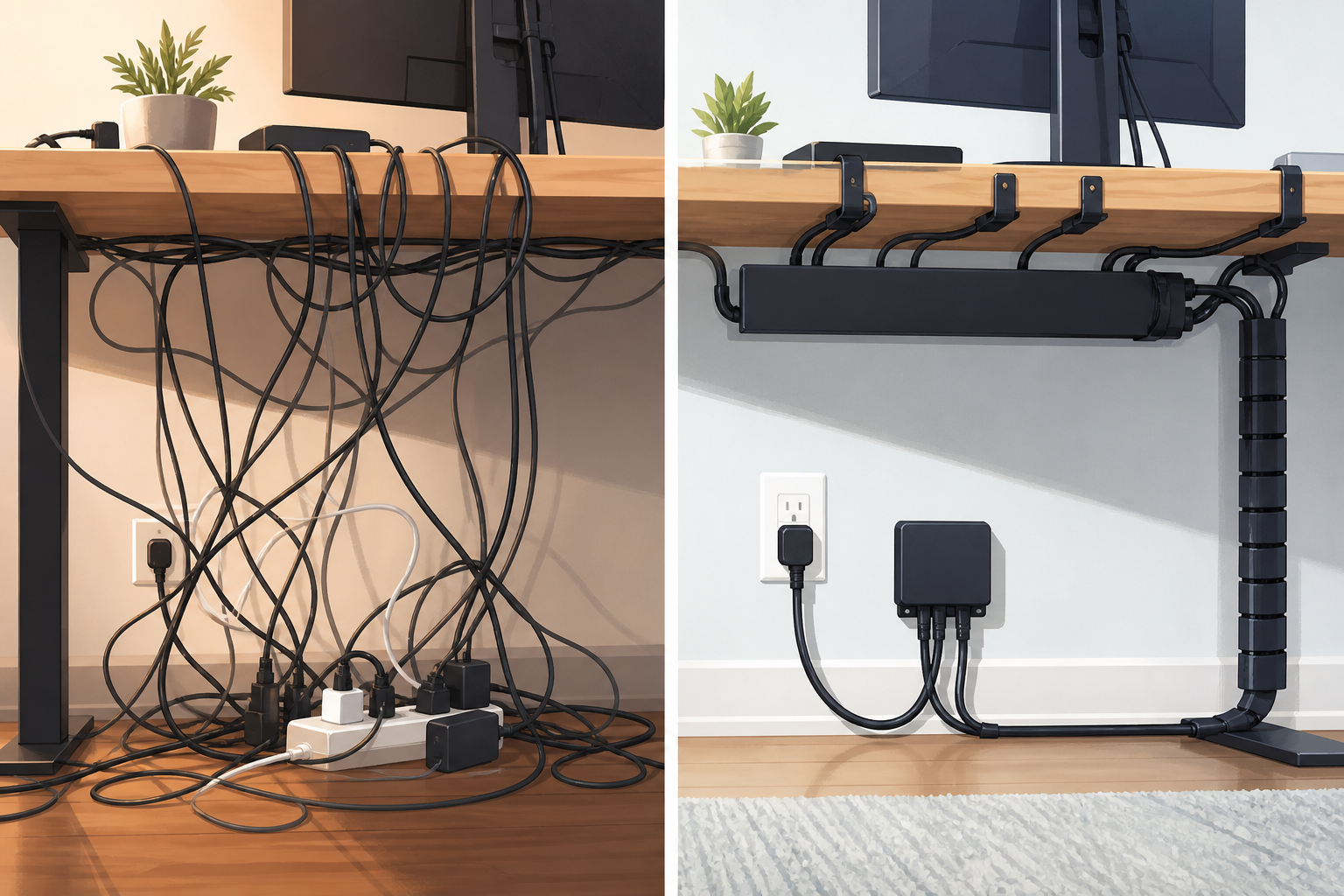
Place the device zone near available power, then gather cables with cord clips or a cable sleeve instead of letting them cross the writing area. Keep the charging station accessible so devices can be connected during the reset. For a shared or temporary station, group the cables so devices can be removed and the surface converted back to household use.

Cable route: power point to accessible charging zone, away from the writing areacable management solutions
4

Store Daily Supplies Within Reach

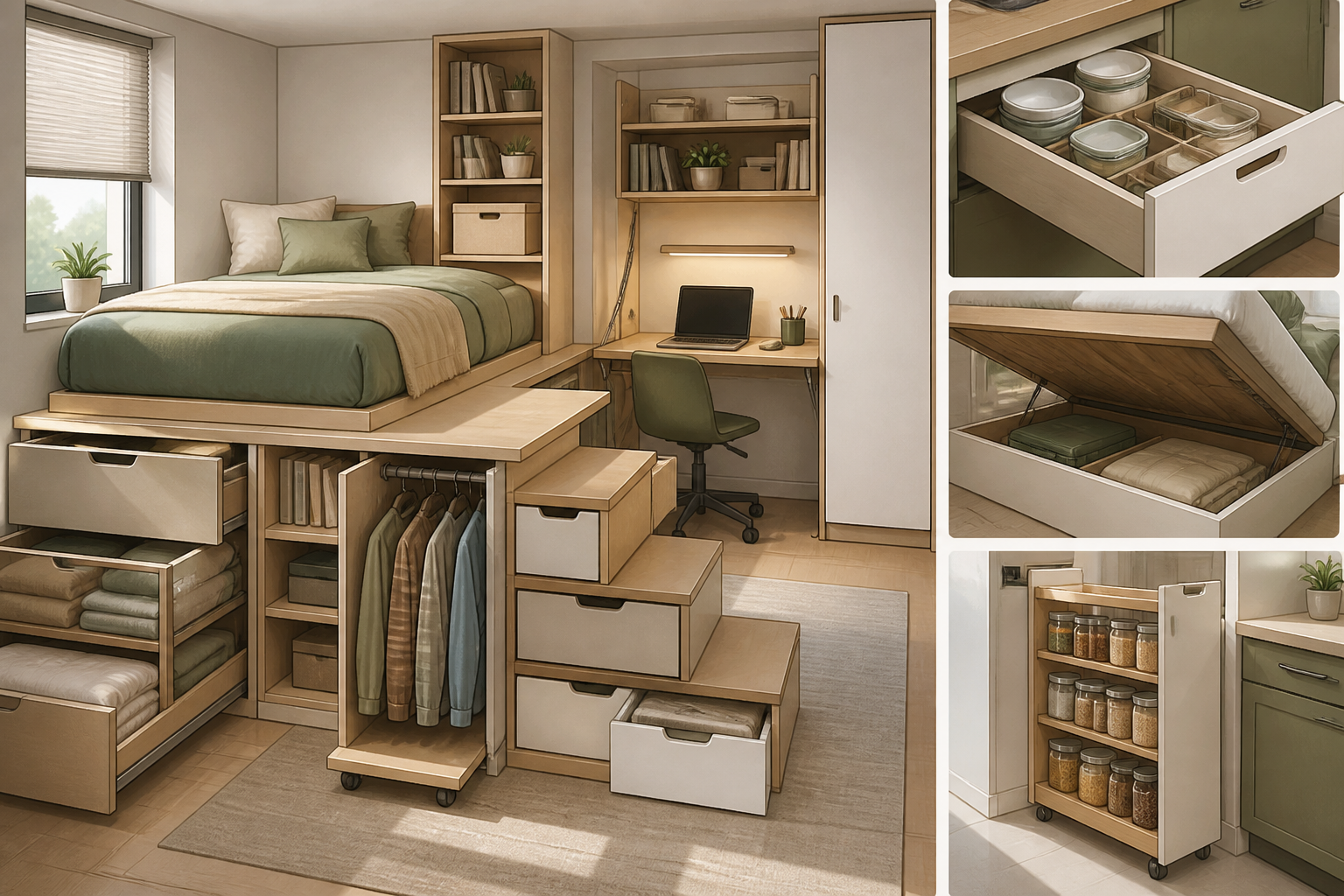
Give the closest storage to supplies used every day and move occasional materials to wall shelves, overhead shelving, under-desk drawers, or furniture that doubles as storage. Use vertical storage when wall mounting is allowed; for a wall-mounted desk, keep the work surface focused on current materials. If mounting is not allowed, use a storage ottoman, compartment bench, or desk storage without consuming more work surface.

Storage order: daily supplies closest, occasional supplies above, below, or inside furniturecompact storage solutions
5

Run a Five-Minute Reset

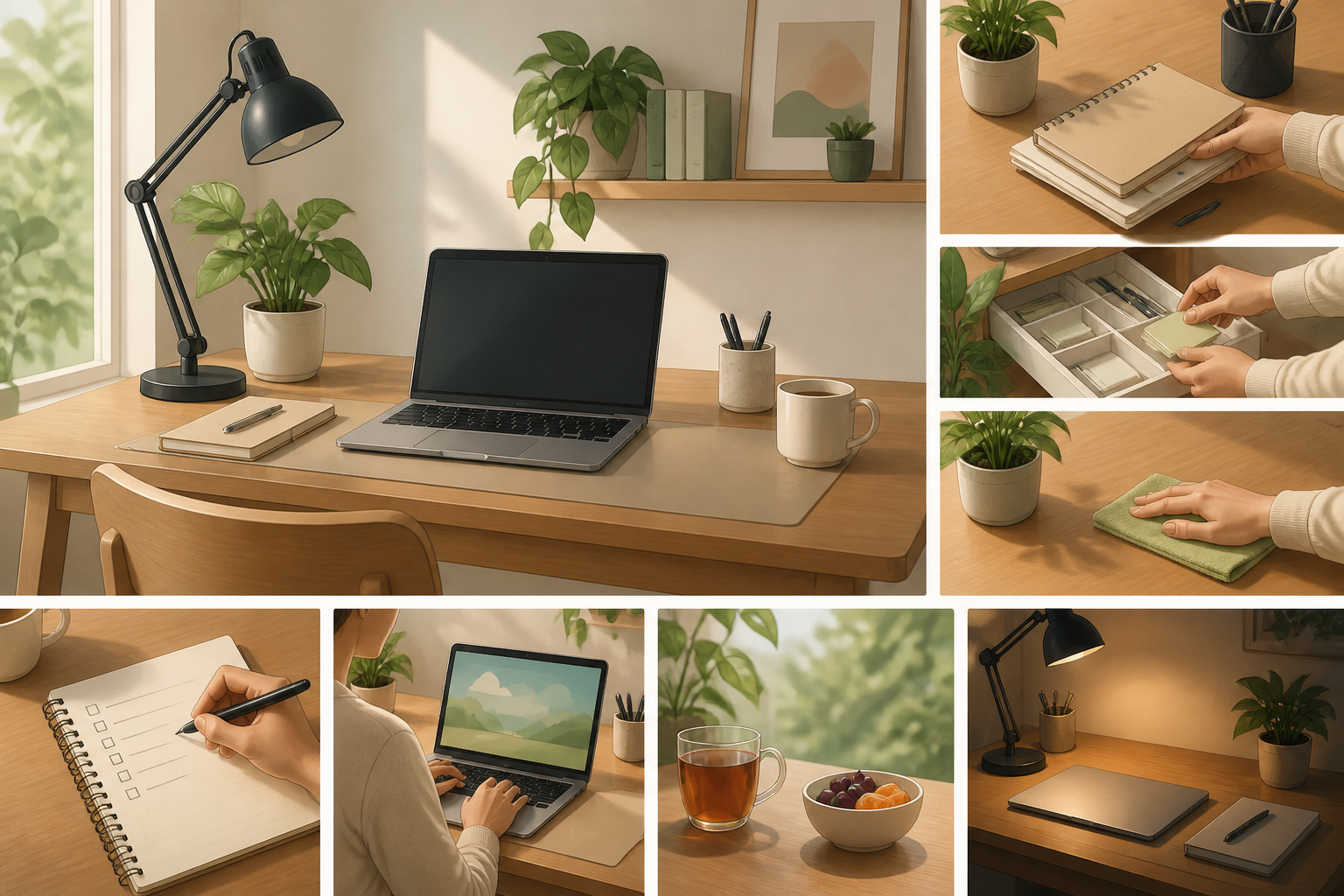
Use the same five-part sequence after every session: first, organize current papers; second, return supplies to storage; third, clear the work surface of non-essential items; fourth, gather cables and connect devices for charging; fifth, place the next day’s papers and required supplies together. At a dining table or other shared surface, finish by removing the portable study zones so the area can resume household use.

Reset order: papers, supplies, surface, cables and devices, next-day setuptidy workspace routine

Troubleshooting Small-Space Setups

When the Surface Feels Crowded
  • Move occasional supplies into vertical, overhead, or under-desk storage
  • Use multifunctional furniture when separate storage would take more floor space
When Focus or Glare Is a Problem
  • Remove non-essential items from the active writing area
  • Use available natural light, while keeping the screen at a right angle to windows

The Small-Space Homework Plan

A calm homework station does not require a dedicated room. One planned surface can support writing, supplies, lighting, and charging when daily items stay accessible, occasional items move into compact storage, and the five-minute reset restores shared household space after each session.

More Troubleshooting

What should I change if the screen still shows glare?

Confirm that the screen is at a right angle to the window, then adjust the task lighting so it illuminates the work area without reflecting on the screen. An anti-glare screen protector is another option if needed.

Where should supplies go when the workstation has no spare surface area?

Keep daily supplies in the most accessible storage. Put occasional items on wall or overhead shelves when mounting is allowed, in under-desk drawers, or inside a storage bench, ottoman, or other multifunctional furniture.

Sources

Editorial disclosure. This article contains no product or affiliate links and no "buy" buttons. Method. It is a researched editorial article, not a hands-on test or firsthand visit unless the article explicitly says otherwise. Claims are based on the sources named in the article and may change.

Corrections: email us