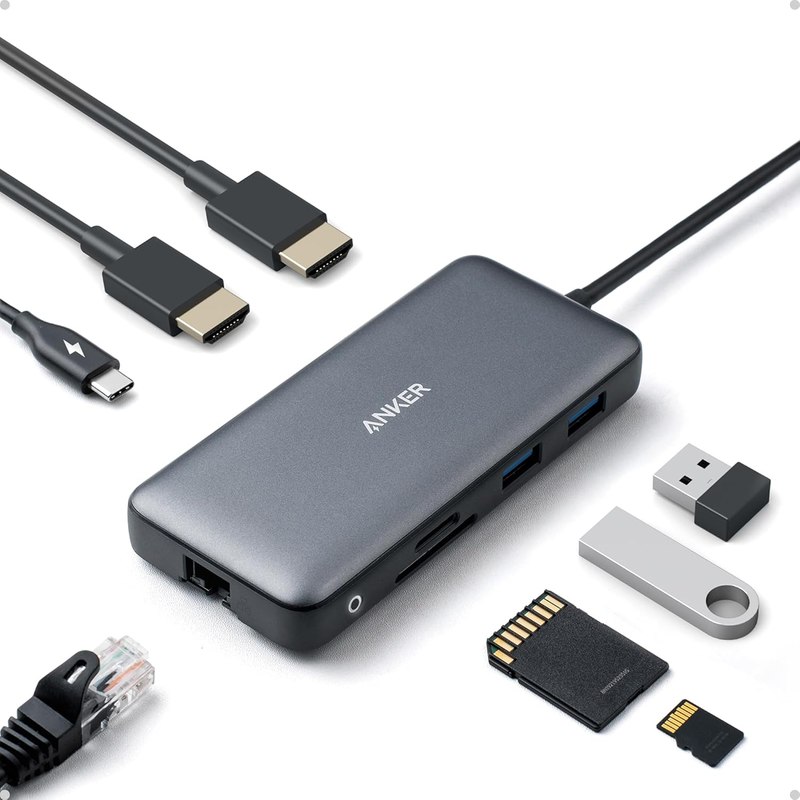
Anker Laptop Docking Station Dual Monitor, 8-in-1 USB C Hub with
It's the only hub in the group that lists dual HDMI outputs, making it the sole option here for driving two external displays from one laptop.
Desk Setup Buying Guide
Six USB-C and USB hubs compared on ports, power delivery, and display support — read straight from their own listings.
It's the only hub in the group that lists dual HDMI outputs, making it the sole option here for driving two external displays from one laptop.
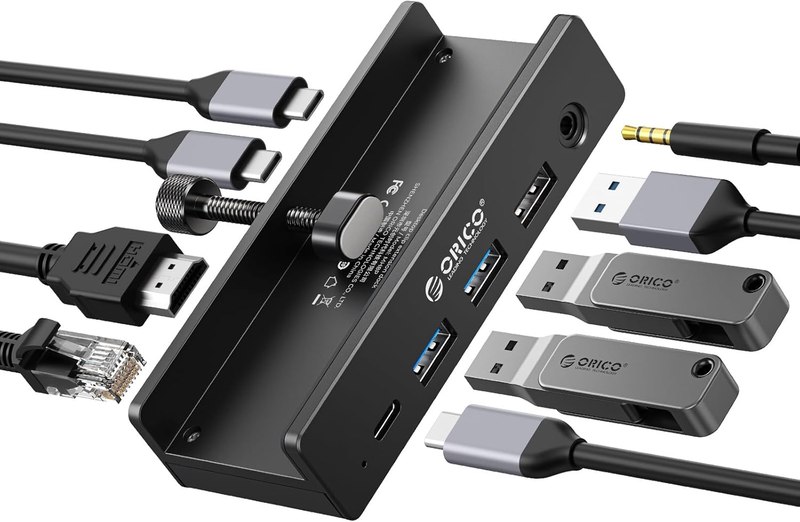
Its clamp design is a listed physical feature none of the other hubs share, anchoring it to the desk edge rather than sitting loose on the surface.
![Powered USB Hub 3.0, Leinsis 7-Port USB 3.0 Hub [Durable Aluminum] 7 Data Transfer Ports+ 4 Smart Charging Ports with Individual On/Off Switches, USB Hub 3.0 Powered with Power Adapter for Laptop PC](img/powered-usb-hub-3-0-leinsis-7-port-usb-3.jpg)
It's the only product here with individually switched, dedicated charging ports for multiple USB-A devices, backed by its own power adapter.
Scores 4.0 while sitting at the value pick end — the most this lineup gives back for what it asks.
“Legit” is our own 1–5 value score, computed the same way for every product from what its live listing showed — how we calculate it. A dash means one of the four inputs could not be read, so we do not score it. Everything else is qualitative. No prices — they move too fast for an article to stay true.
One winner per job, assigned only where this lineup genuinely supports a call.
Each links to a live Amazon listing that was opened and read before it went in.
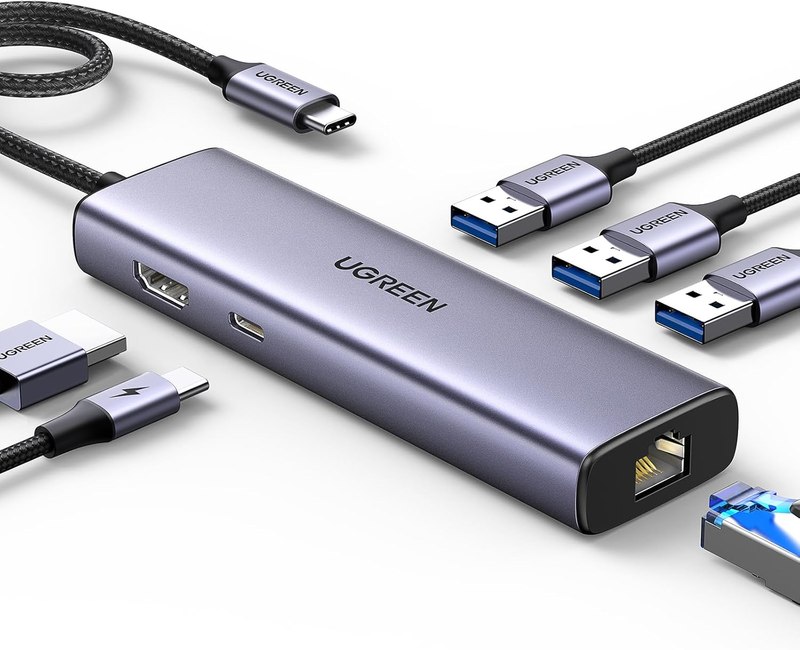
6-in-1 hub with Gigabit Ethernet and 100W PD
This 6-in-1 hub pairs a 4K HDMI output with Gigabit Ethernet, USB-A data ports, and 100W PD passthrough, per the listing. It's aimed at MacBook and iPad users who want a wired network connection at the desk alongside a single external display. The trade-off is port count — six total connections is enough for a simple single-monitor setup but leaves little room to also plug in a card reader or multiple peripherals without a second hub.
8-in-1 dual-monitor docking station
This is the only hub in the group explicitly built for two displays, with dual HDMI listed alongside Ethernet, PD, and an SD/TF card reader. It suits anyone running a two-monitor desk off a single USB-C laptop. The listing notes the charger is not included, so the 85W max PD figure describes what the port can pass through, not what ships in the box — worth checking against whatever power adapter you already own.
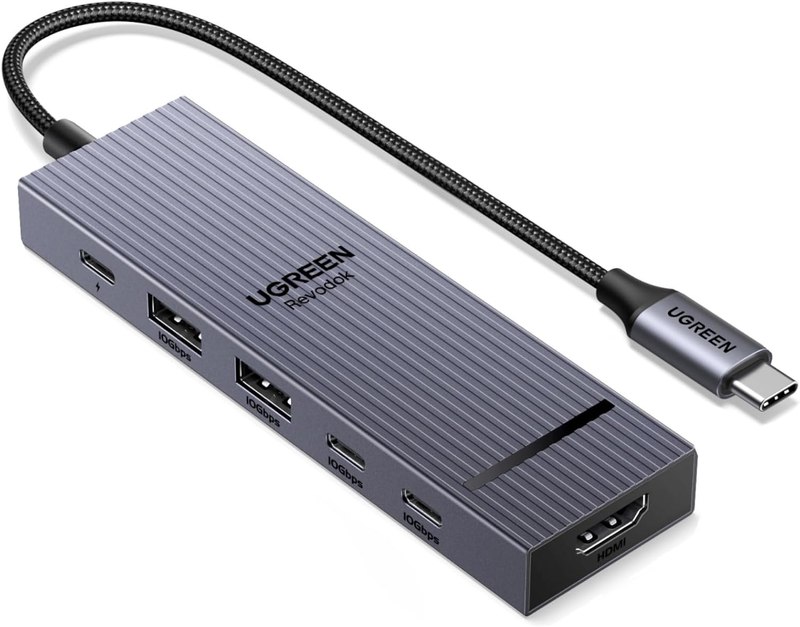
6-in-1 hub with 10Gbps data and 4K 60Hz
The Revodok Pro lists 10Gbps data transfer and 4K at 60Hz HDMI, both higher figures than its sibling UGREEN hub, alongside 100W PD charging. It's compatible per the listing with MacBooks, iPad Pro, and handhelds like the Steam Deck and ROG Ally, making it a fit for a desk shared between a laptop and a gaming handheld. Like the other 6-in-1 UGREEN model, it's single-display, so it's not the choice for a dual-monitor arm.
HDMI-to-USB-C video capture card
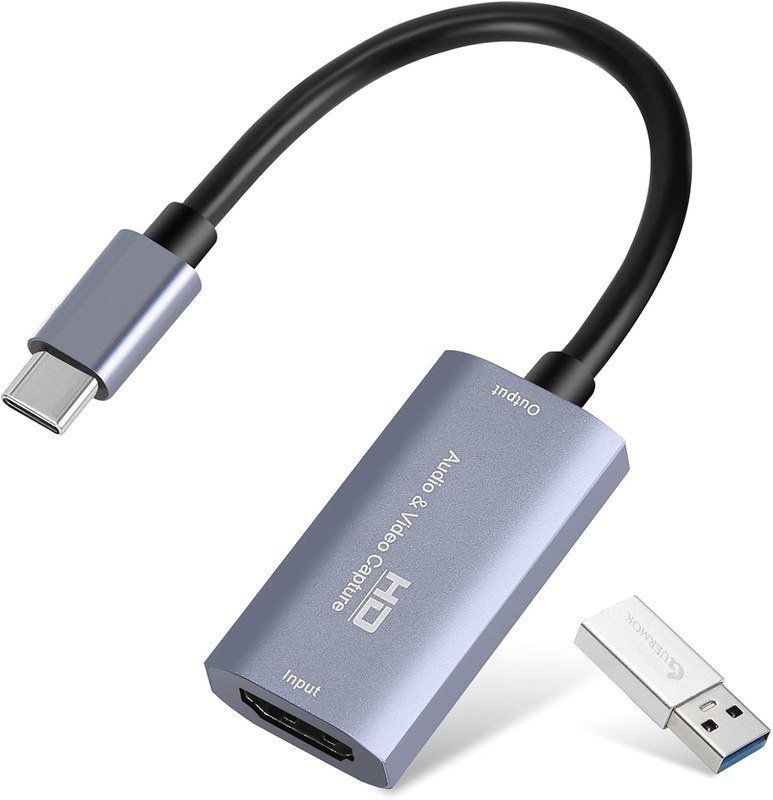
This is a capture card, not a hub — it takes an HDMI signal in and outputs it over USB-C for recording or streaming, listed at 1080p 60fps or 2K 30fps. It fits a desk set up for streaming from a console or camera through software like OBS, not one that needs extra ports for peripherals or an external monitor. Anyone shopping this roundup for a general-purpose hub should skip this one; it solves a different problem.
8-in-1 clamp-mounted docking station
The clamp design sets this apart: it mounts to the desk edge rather than sitting loose, per the listing, while still offering 4K60 HDMI, 100W PD, Gigabit Ethernet, four USB ports, and an AUX jack. That's a genuine desk-specific feature for anyone tired of cables sliding a hub off the surface. The adapter is not included, and like the UGREEN hubs it drives a single external display, so it's not a substitute for a dual-monitor dock.
Powered 7-port USB 3.0 hub
This hub is USB-A focused, not USB-C, and carries no video output at all — it lists 7 data ports plus 4 dedicated charging ports with individual on/off switches, run through an included power adapter. It suits a desk with a pile of USB-A peripherals — mice, drives, lights, a webcam — that need power without draining the laptop's own ports. Buyers looking for HDMI or PD laptop charging should look elsewhere in this list; that's not what this hub does.
Both UGREEN hubs and the ORICO clamp hub list 100W PD passthrough, and the Anker dock lists 85W max, so all four are built to pass charging power to the laptop while connected. The Leinsis hub has no PD listing and is meant to power peripherals, not the laptop, and the Guermok card has no charging function at all.
Only the Anker docking station lists dual HDMI outputs. Every other hub or dock in this group, including both UGREEN models and the ORICO clamp hub, is built around a single HDMI output and will drive one external display at a time.
No. It takes an HDMI signal in and turns it into USB-C video data for recording or streaming software, per its listing — it doesn't add USB, Ethernet, or charging ports the way the other hubs do. Buy it specifically for capture, not for general desk connectivity.
The Anker dock and ORICO clamp hub both note in their listings that a charger or adapter is not included, so you'd supply your own USB-C power source to use the PD charging feature. The Leinsis USB hub does include its own power adapter, per its listing.
Both UGREEN hubs list explicit compatibility with recent MacBook, iPad, and iPhone models, with the Revodok Pro adding 10Gbps data and 4K 60Hz versus the standard Revodok's listed specs. Either fits an Apple-centric single-monitor desk; the Pro model is the one to check if faster transfer speeds matter to you.
The Leinsis 7-port hub is the one built for that: it's a USB 3.0 hub with no HDMI or display capability, but it lists individually switched ports and dedicated charging ports, which none of the video-focused hubs in this group offer.
For a single external monitor and everyday charging, either UGREEN 6-in-1 hub covers the basics, with the Revodok Pro's listed 10Gbps and 100W PD figures giving it the edge on paper. If two monitors matter, the Anker dock is the only one here built for that. The ORICO clamp hub suits a desk that wants the hub physically anchored rather than loose. The Leinsis hub is for people who need many USB-A ports and don't need video at all, and the Guermok card is not a hub — it's for capturing an HDMI signal, and buyers should not confuse the two categories.
Affiliate disclosure. DopamineKart is a participant in the Amazon Services LLC Associates Program. As an Amazon Associate, DopamineKart earns from qualifying purchases — at no extra cost to you, and it never changes a pick. Sources. Every listing was verified live; nothing here was tested by hand. Colours, sizes and availability change — read the listing before buying.
How we review · Corrections: email us