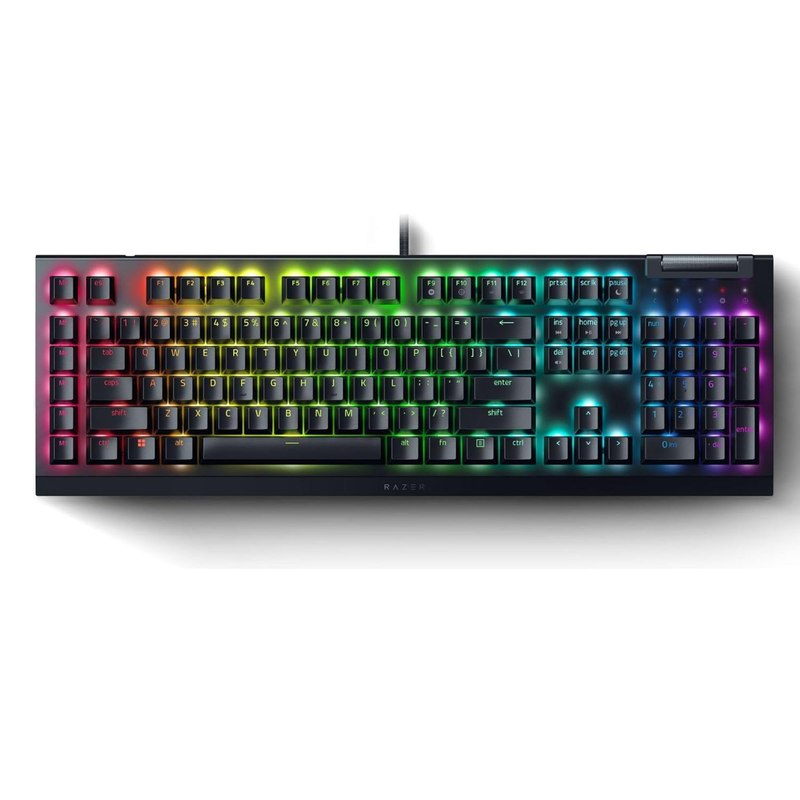
Razer BlackWidow V4 X Mechanical Gaming Keyboard, Yellow Switches,
The only listing in this group that states silent switches directly in its title, on a full-size layout.
DopamineKart Legit
Twelve mechanical keyboards sorted by the three things that actually matter to a first-time buyer — switch feel, layout size, and how much noise you're signing up for.
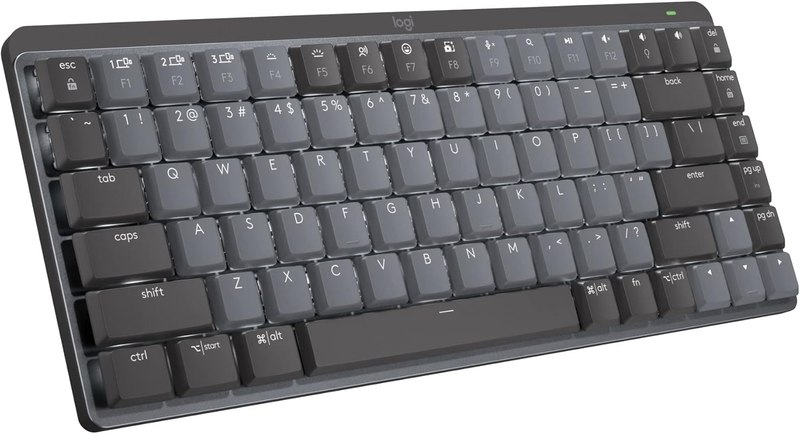
The only listing in this group that states silent switches directly in its title, on a full-size layout.
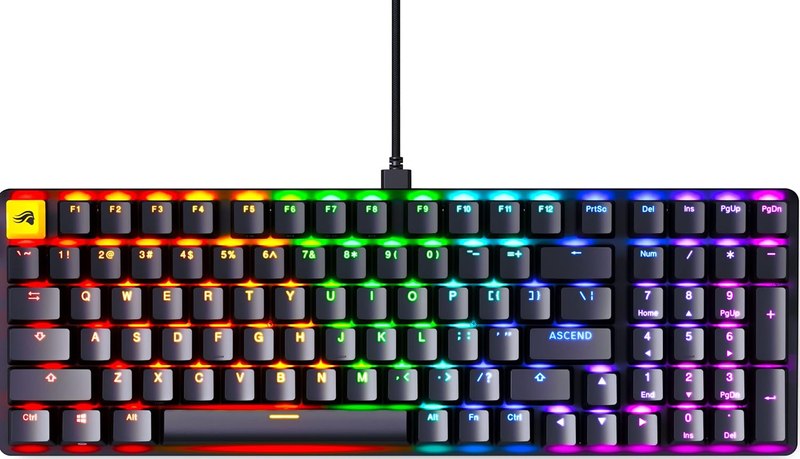
A 96% layout is explicitly described as full-size functionality, the most complete key set on offer here.
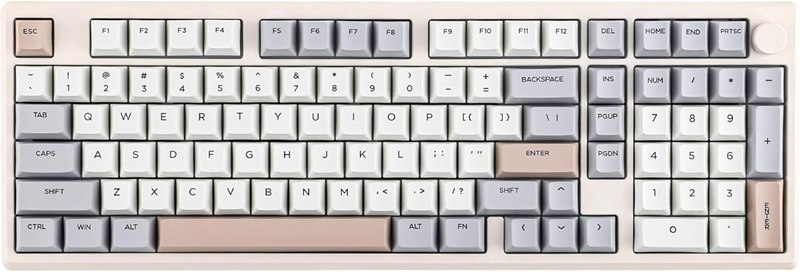
Hot-swap sockets combined with QMK/VIA firmware give the most room to change both switches and key behavior over time.
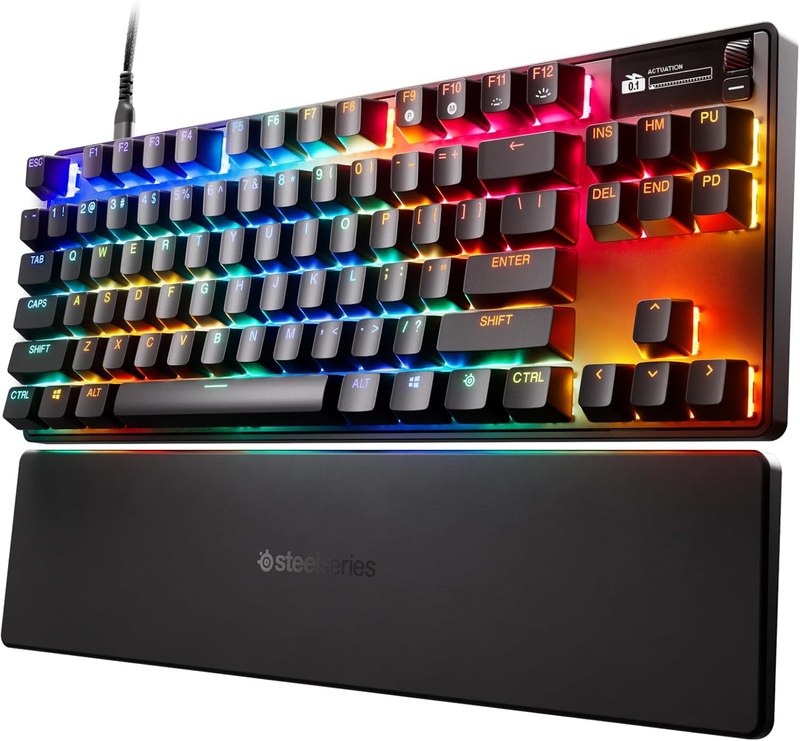
Analog magnetic OmniPoint 3.0 switches with adjustable actuation presets go beyond standard mechanical switching, per the listing.
A straightforward hot-swappable TKL with common red linear switches, without the added wireless or analog complexity of pricier boards.
Qualitative on purpose. No prices — they move too fast for an article to stay true.
One winner per job, assigned only where this lineup genuinely supports a call.
Each links to a live Amazon listing that was opened and read before it went in.
Quiet low-profile wireless board
This is a low-profile mechanical keyboard built for a desk, not a battlestation — linear switches, a smart backlight that adjusts to ambient light, and Bluetooth pairing across three devices. Its USB-C battery is rated up to 15 days per the listing. It suits a first-timer whose priority is quiet typing in an office or shared space rather than gaming features. The trade-off: low-profile switches feel different from standard mechanical switches, and there's no mention of hot-swap support, so you're committed to the feel it ships with.
Best for: quiet office typing over a shared desk
Listed as: Logitech MX Mechanical Mini Wireless Illuminated Keyboard Linear Switches | Low-profile full-size, 3 device Blue
View on Amazon →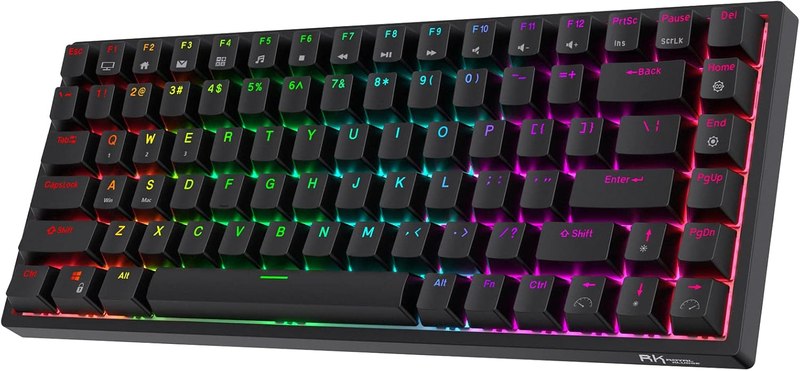
75% wireless hot-swap all-rounder
An 84-key 75% layout with RK's own custom switches, hot-swap sockets, and three ways to connect — Bluetooth 5.0, 2.4GHz, or USB-C. The listing highlights a high-capacity battery and its own software driver. It's a reasonable first board for someone who wants to keep the arrow cluster and function row while losing the number pad, and who might want to try different switches later via the hot-swap sockets. The listing doesn't state a noise rating, so go in expecting a typical mechanical clack rather than a quiet one.
Best for: a first wireless board with room to experiment with switches
Listed as: RK ROYAL KLUDGE RK84 Wireless RGB 75% Hot Swappable Mechanical Keyboard | 84 Keys Wireless Gaming Keyboard w/Hig
View on Amazon →Entry-level TKL with red linear switches
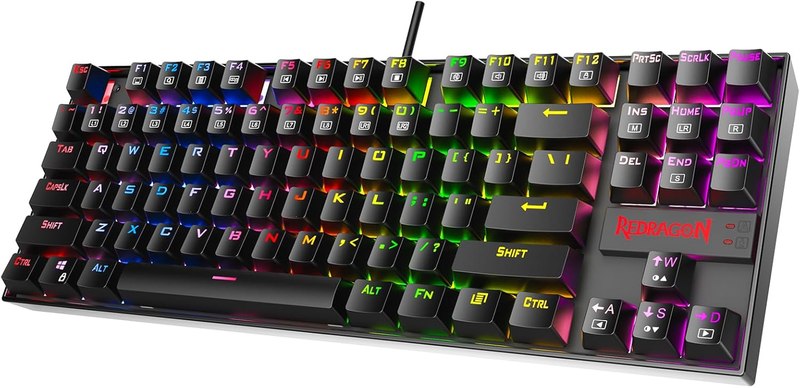
A tenkeyless board with hot-swappable red linear switches, 18 RGB backlight modes, and N-key rollover with programmable macros through its software. It's a straightforward, accessible way into mechanical typing — TKL trims the number pad for desk space, and red linear switches are a common, smooth-feeling first choice. Because it's hot-swappable, a beginner unsure about switch feel can experiment without new hardware. The listing gives no explicit noise figure, and construction details beyond hot-swap and NKRO aren't spelled out.
Best for: a low-commitment first mechanical keyboard
Listed as: Redragon K552P Mechanical Gaming Keyboard TKL with 18 Backlight Modes, Hot-Swappable Red Switches, 87-Key Compac
View on Amazon →Analog magnetic switch flagship
This TKL board uses OmniPoint 3.0 analog magnetic switches with adjustable actuation presets — rapid trigger, rapid tap/SOCD, and a protection mode — plus an OLED display and PBT keycaps. It's aimed at buyers who already know they want precision control over actuation point, which is a more advanced concept than a first-timer typically needs. Worth it if you're buying once and want headroom to grow into; overkill if you just want to know what a mechanical keyboard feels like. No noise claim appears in the listing.
Best for: a buyer who wants adjustable switch behavior from day one
Listed as: SteelSeries Apex Pro TKL Gen 3 Gaming Keyboard - OmniPoint 3.0 Analog Magnetic Switches, Quickset Auto-Presets (
View on Amazon →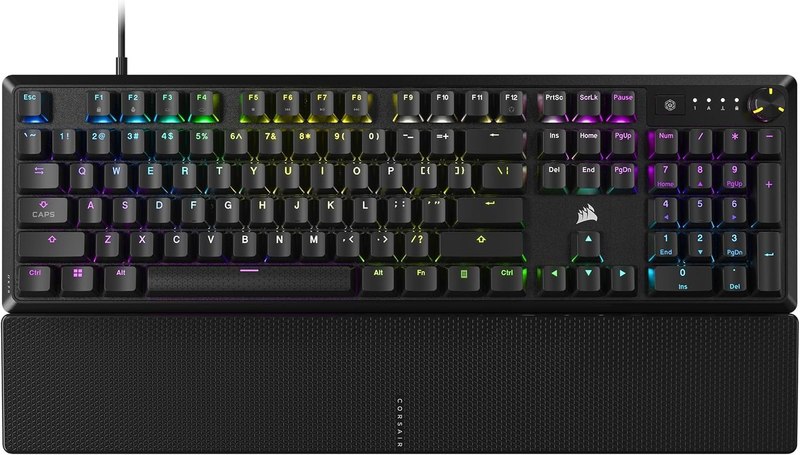
Full-size wired board with a palmrest
A full-size wired keyboard with pre-lubed linear switches, a bundled palmrest, and sound-dampening foam called out directly in the listing, plus a media control dial. The palmrest and dampening make this a sensible pick for someone typing for long stretches who also wants less clatter than a bare mechanical board. Double-shot ABS keycaps are lower-cost than PBT, which is the main trade-off against pricier full-size options here. No hot-swap capability is mentioned.
Best for: long typing sessions where comfort and quieter clack both matter
Listed as: CORSAIR K70 CORE RGB Mechanical Wired Gaming Keyboard with Palmrest – Pre-Lubed MLX Red Linear Switches, SOCD, A
View on Amazon →Full-size board with explicitly silent switches
This is the only board in the lineup whose title states silent switches outright, paired with linear yellow switches, six dedicated macro keys, and Chroma RGB. It's a strong pick for a first-timer who specifically wants mechanical feel without mechanical volume — say, typing near a sleeping housemate. The macro keys and Snap Tap feature lean toward gaming use, which is a bonus rather than a requirement for a beginner. No hot-swap sockets are mentioned in the listing.
Best for: someone who wants mechanical switches without the noise
Listed as: Razer BlackWidow V4 X Mechanical Gaming Keyboard, Yellow Switches, Black | Linear & Silent Switches, 6 Dedicated
View on Amazon →QMK/VIA hot-swap board for tinkerers
An aluminum-shelled board running QMK/VIA firmware, with pre-lubed hot-swappable linear switches and NKRO, connecting over Bluetooth, 2.4GHz, or USB-C. QMK/VIA support means deeper remapping than most boards here offer, which rewards a first-timer who's curious about customization rather than just typing feel. That same depth can be a learning curve if you just want something that works out of the box. The listing doesn't specify a noise rating for the pre-lubed switches.
Best for: a beginner who wants to grow into deep customization
Listed as: EPOMAKER Galaxy100 QMK/VIA Wireless Gaming Keyboard, Aluminum Shell, BT/2.4Ghz/USB-C, Pre-Lubed Hot-Swappable Li
View on Amazon →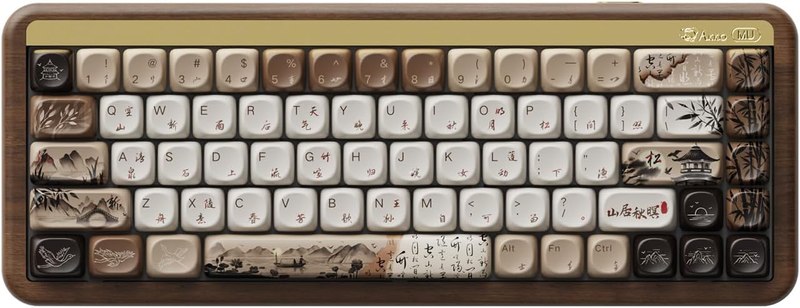
65% board with a wooden case
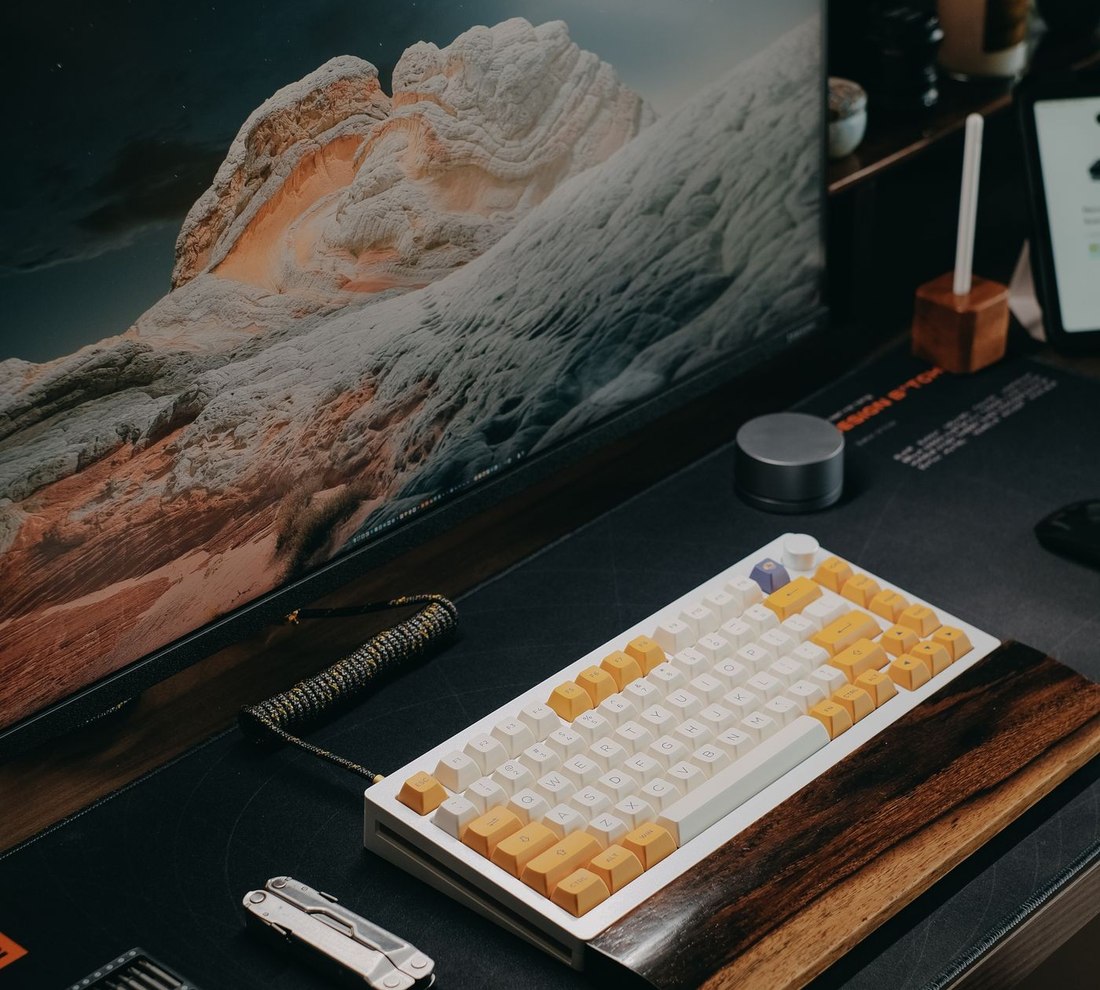
A 68-key 65% layout housed in a walnut wooden case, with hot-swap sockets and PBT dye-sub keycaps, working over 2.4G, Bluetooth, or wired USB across Mac and Windows. This is one of the smaller and more design-forward boards in the group, trading the arrow cluster and function row for desk space and aesthetics. PBT keycaps resist shine better than ABS over time, per general keycap material behavior implied by the listing. No specific switch model or noise claim is stated.
Best for: a compact, design-conscious first board for a small desk
Listed as: Akko Mechanical Gaming Keyboard with Walnut Wooden Case, MU01 Mountain Seclusion 65% 68-Key RGB 2.4G Wireless/Bl
View on Amazon →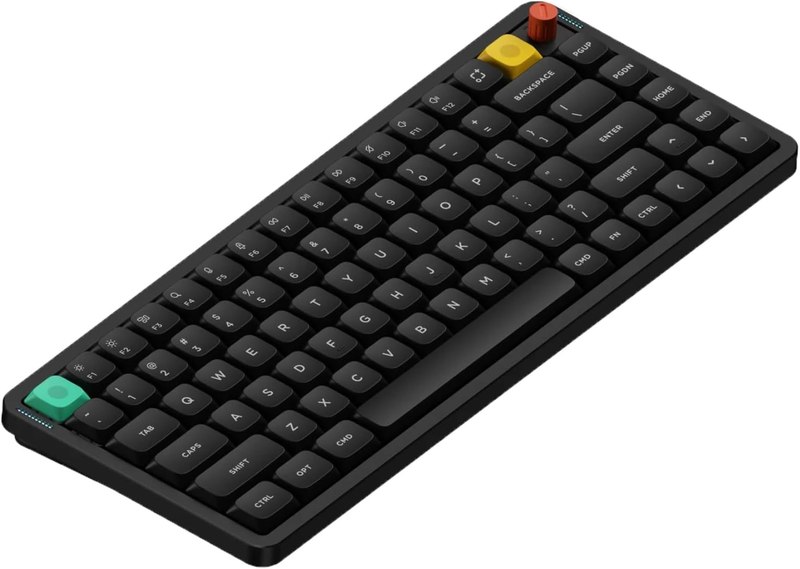
Low-profile 75% board marketed as silent
A 75% low-profile keyboard with hot-swap sockets, a multi-function knob, and connectivity across Bluetooth, 2.4GHz, and USB-C for both Mac and Windows. The listing describes it as a silent keyboard, making it one of two boards here with an explicit quiet claim, and its low-profile build keeps the desk footprint slim without dropping arrow keys or function row entirely. The trade-off against a full 75% board is the same low-profile switch feel difference noted elsewhere — it won't feel like a standard-height mechanical keyboard.
Best for: a slim, quiet 75% layout with room to swap switches
Listed as: nuphy Air75 V3 Wireless Mechanical Keyboard with Multi-Function Knob | 75% Low Profile keyboard, Hot-Swap, for M
View on Amazon →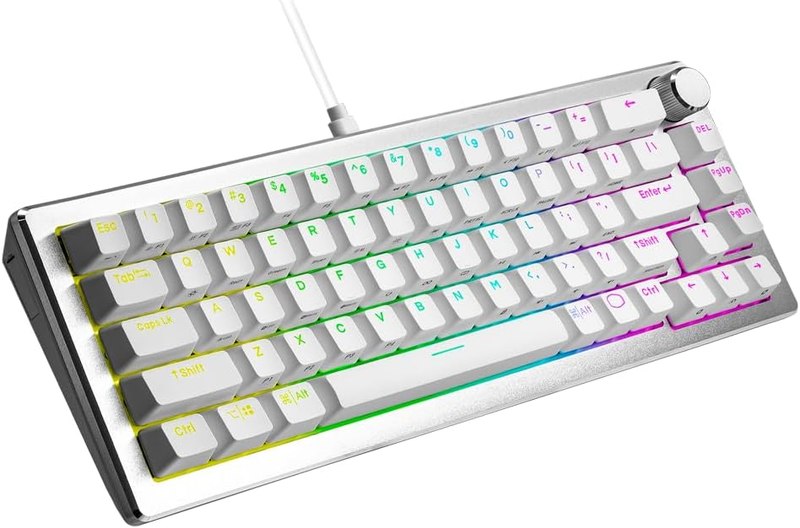
65% board with tactile brown switches
A 65% hot-swappable board built around Kailh Box V2 tactile brown switches, with customizable RGB, USB-C connectivity, and a 3-way control dial. Tactile switches give a physical bump as feedback, which some first-timers prefer over pure linear feel, but they're not marketed as quiet — expect more audible feedback than the linear or silent options in this list. The compact 65% layout suits a smaller desk, and hot-swap support means you can move to linear switches later if tactile isn't for you.
Best for: a beginner who wants to try tactile feedback on a small layout
Listed as: Cooler Master CK720 Hot-Swappable 65% Silver/White Mechanical Gaming Keyboard, Kailh Box V2 Tactile Brown Switch
View on Amazon →96% full-size wired board
A 96% layout wired keyboard — full-size functionality in a tighter footprint than a traditional full-size board — with hot-swappable Cherry MX-style linear switches and double-shot keycaps. This is the most complete-layout option here for a first-timer who doesn't want to give up the number pad or navigation cluster, while still getting hot-swap flexibility to try other switches later. Being wired only means no wireless convenience, and the listing doesn't state a noise rating for the stock linear switches.
Best for: a first board that keeps the full number pad and nav cluster
Listed as: GLORIOUS GMMK 2 Gaming Mechanical Keyboard - Hotswap Cherry Mx Style Linear Switches- Full Size Wired Keyword- D
View on Amazon →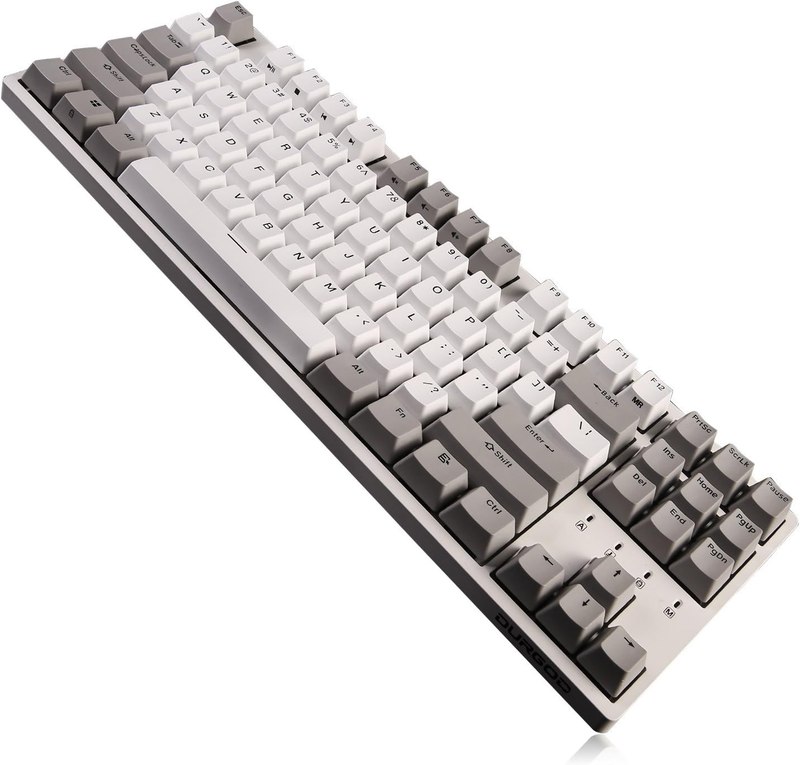
TKL board with Cherry Brown tactile switches
A tenkeyless board built on genuine Cherry Brown tactile switches, with double-shot PBT keycaps, NKRO, and USB-C wired connectivity. Cherry switches are a well-known reference point for tactile feel, making this a sensible pick for a first-timer who's decided they want a bump rather than a smooth glide, without paying for wireless or RGB extras. PBT keycaps should hold up to shine better than cheaper ABS. The listing doesn't mention hot-swap sockets, so switch choice here is effectively permanent.
Best for: a straightforward TKL with proven tactile switches
Listed as: DURGOD Taurus K320 TKL Mechanical Gaming Keyboard - 87 Keys - Double Shot PBT - NKRO - USB Type C (Cherry Brown,
View on Amazon →Linear switches (like red or yellow switches in this list) move smoothly with no bump and tend to be quieter, which suits typing-heavy use. Tactile switches (brown switches here) add a felt bump partway down, which some people prefer for accuracy but which usually comes with more audible feedback. If you're unsure, a hot-swappable board lets you try tactile switches later without buying a new keyboard.
It means the switches plug into sockets rather than being soldered in, so you can pull them out and replace them with a different switch type by hand. You don't need it for a first keyboard, but it removes the risk of picking the wrong switch feel — several boards here support it, others don't mention it at all.
It depends on what you actually use. A 65% or 75% board drops the number pad and sometimes compresses the function row, which is fine if you rarely use a numpad but frustrating if you rely on it for spreadsheets. TKL keeps the function row and loses only the numpad; full-size or 96% keeps everything.
Only two listings in this roundup state a silent-switch claim directly. Several others mention sound-dampening foam or low-profile design, which can reduce noise but isn't the same as a stated silent-switch spec. If noise matters most, prioritize the ones that name it explicitly rather than assuming.
No — it's a convenience, not a requirement. Wired boards in this list tend to skip battery management entirely, while wireless options here offer Bluetooth, 2.4GHz, or both, which matters more if you're switching between a laptop and desktop than if you have one fixed setup.
RGB lighting modes, macro key counts, and software driver depth are all nice extras but shouldn't drive the decision. Get the switch feel, layout size, and noise level right first — those are the things you'll notice every single time you type, long after the lighting effects stop being novel.
There's no single right first keyboard, but there is a right question order: pick your switch feel first, your layout second, everything else last. If you want something quiet enough for a shared room, look at the boards whose listings specifically call out silent or low-profile switches. If you want full function keys and a number pad, stick to the full-size and 96% options. If you're not sure you'll like mechanical switches at all, a hot-swappable board lets you change switches later without buying a whole new keyboard — several here offer that safety net. Treat premium analog switching and dedicated macro clusters as upgrades to consider once you already know you like the basics.
Affiliate disclosure. DopamineKart is a participant in the Amazon Services LLC Associates Program. As an Amazon Associate, DopamineKart earns from qualifying purchases — at no extra cost to you, and it never changes a pick. Sources. Every listing was verified live; nothing here was tested by hand. Colours, sizes and availability change — read the listing before buying.
How we review · Corrections: email us