
DopamineKart · Legit

Desk & Tech · Buying Guide

Best Keyboards on Amazon and the desk that goes around it

Four keyboards that suit genuinely different people — then the accessories that finish the setup. Layout, switches and hot-swap explained without the jargon.

✓ Real Research✓ Real Links✓ Verified Listings✓ Legit Only
By the DopamineKart editors · Updated August 9, 2026 · 11 min read
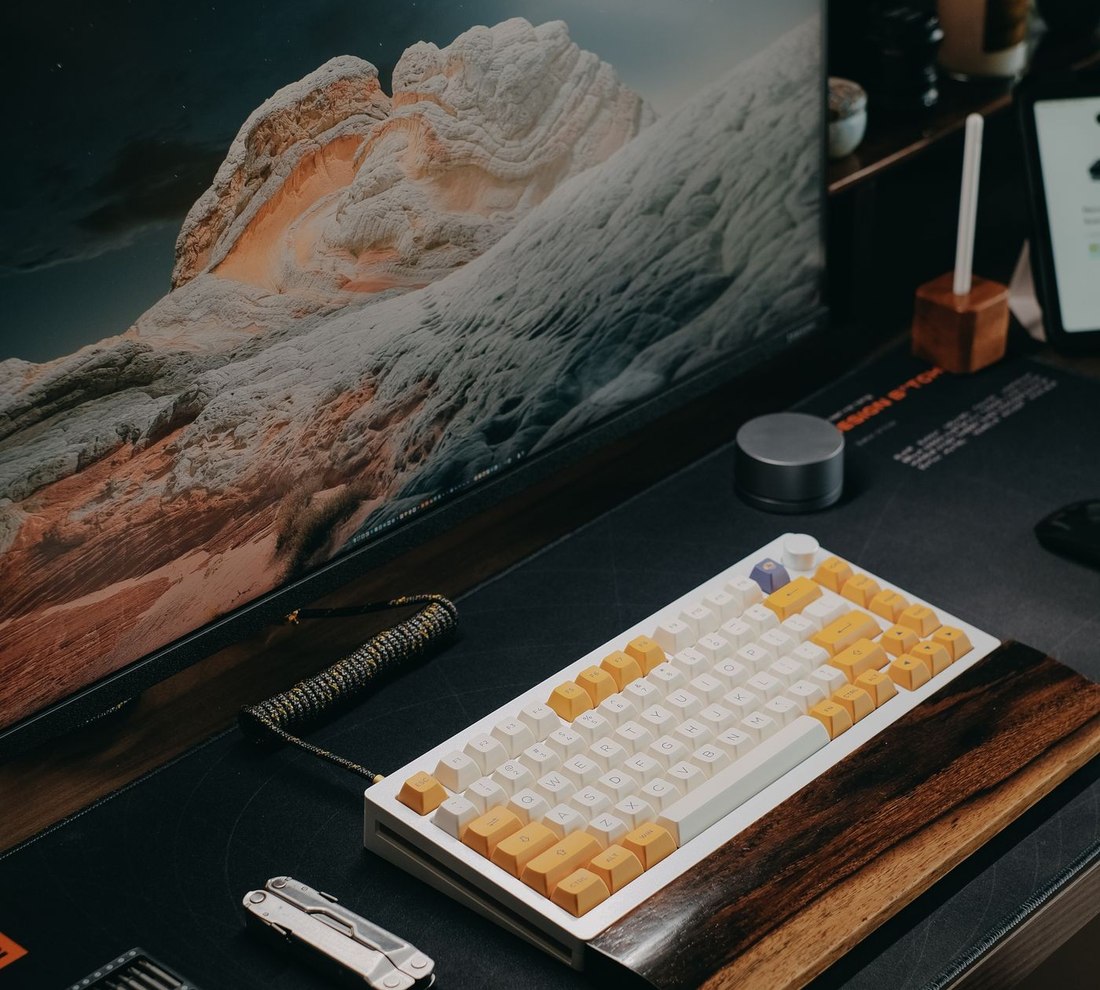
A tidy desk setup: monitor, compact mechanical keyboard on a desk mat, and cable-managed accessories

The four things that actually decide it

The four picks, side by side

Keychron K2 ProKeychron Q5 MaxLogitech MX Keys SRK Royal Kludge RK61
Layout75% (84 keys)96% (89 keys)Full size, low profile60% (61 keys)
Hot-swappableYesYesNoYes
WirelessBluetooth 5.1 + USB-CBT + 2.4 GHz + USB-CBluetooth + Logi BoltBT + 2.4 GHz + USB-C
CaseAluminium frameFull aluminium bodyPlastic, low profilePlastic
QMK / VIA remappingYesYesNo (Logi Options+)Yes (VIA on wired models)
Best suited toMost peopleSpreadsheet + numpad workShared offices, Mac + PCSmallest desks, first build

The keyboards

Best overall
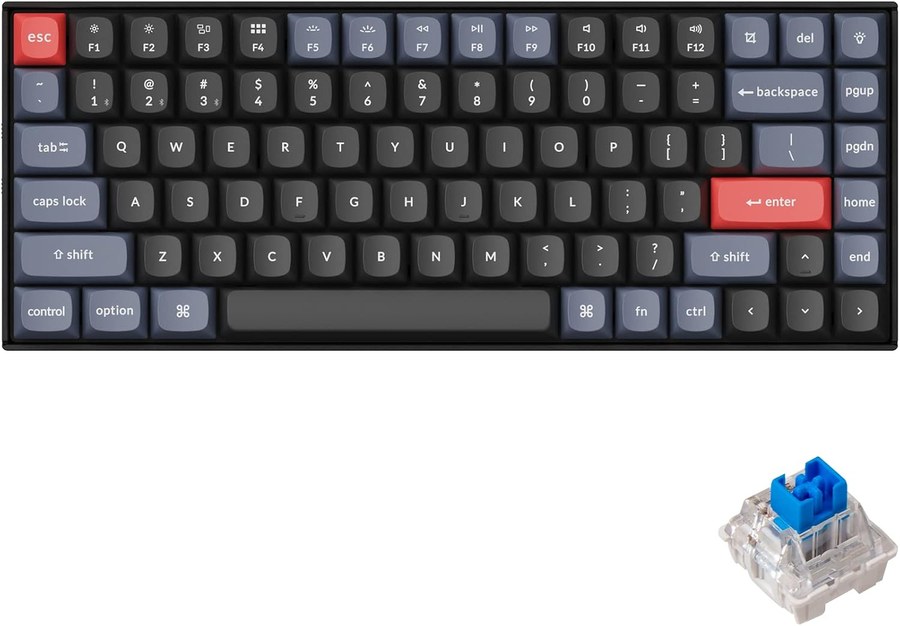
Keychron K2 Pro

Keychron K2 Pro

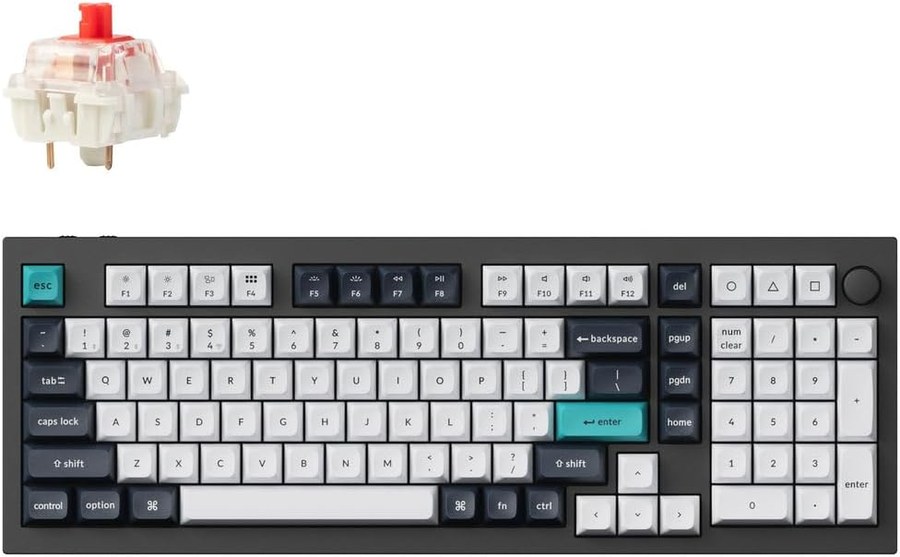
A 75% layout keeps the arrow keys and a function row while dropping the numpad, which is the compromise most people actually want. Hot-swappable, QMK/VIA programmable, aluminium frame, Bluetooth 5.1 or USB-C. If you are not sure what you want, this is the one that stays useful while you work it out.
View on Amazon →
Best if you live in spreadsheets
Keychron Q5 Max

Keychron Q5 Max

A 96% "compact 1800" layout squeezes a numpad into roughly the footprint of a tenkeyless board. Full aluminium body, tri-mode wireless, hot-swap. The weight is the point: it does not move on the desk. Heavier and larger than the K2 Pro, so only worth it if you genuinely use a numpad.

View on Amazon →
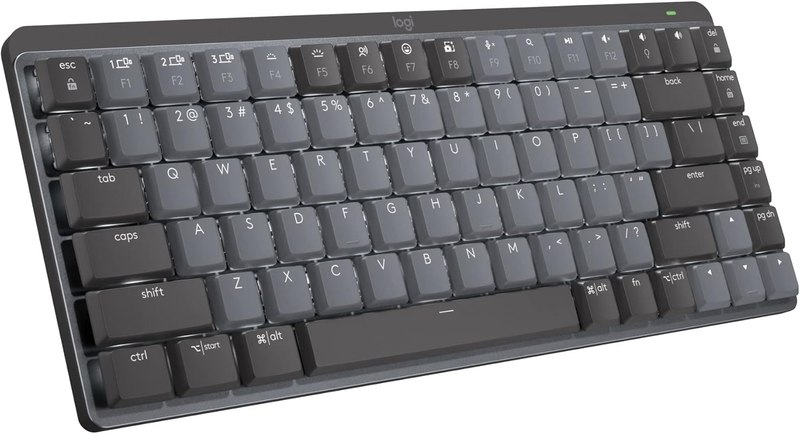
Best for a shared room
Logitech MX Keys S

Logitech MX Keys S

Not mechanical, and that is the reason to buy it. Low-profile scissor keys are quiet enough for an open office or a room with someone else in it, and it switches between multiple devices cleanly. No hot-swap, no QMK — you are buying a finished appliance rather than a platform.

View on Amazon →
Best first mechanical
RK Royal Kludge RK61

RK Royal Kludge RK61

A 60% board with a hot-swappable PCB, which makes it the cheapest honest way to find out what switches you like. Expect plastic build and rough edges compared with the Keychrons. Losing the arrow keys is a real adjustment — try a week before deciding you hate it.

View on Amazon →

Four things the listings imply that are not true

Claim

Mechanical keyboards are loud.

The reality

Clicky switches are loud. Linear and tactile switches are much quieter, and silenced variants quieter still. "Mechanical" describes the switch mechanism, not the volume — the switch type and the case do that.

Claim

More RGB means a better keyboard.

The reality

Lighting is the cheapest feature to add and the least related to typing quality. Case material, plate, mounting style and stabilisers determine how a board feels and sounds. None of those show up in a photo.

Claim

Hot-swap is a niche enthusiast feature.

The reality

It is the opposite — it is the feature that protects a first-time buyer. Switch feel is the hardest thing to predict from a description, and hot-swap turns a wrong guess into a small parts order instead of a new keyboard.

Claim

Wireless adds lag you will notice.

The reality

For typing and office work, modern 2.4 GHz and Bluetooth are not the bottleneck. Competitive gaming is the only context where the argument still gets made seriously, and even there the gap is small.

Where more money actually goes

Budget
Plastic case, hot-swap, wireless

You still get the thing that matters most — swappable switches. What you give up is case rigidity, stabiliser quality and the sound that comes with them.

Balanced
Aluminium frame, QMK/VIA, tri-mode

The K2 Pro tier. Real remapping, a frame that does not flex, and wireless that works with more than one device. For most people the returns flatten out here.

Premium
Full metal body, gasket mount, knob

Q5 Max territory. You are buying mass, acoustics and finish — genuine improvements, but ones you feel rather than measure. Nothing above this tier types more accurately.

Pick by your desk, not by the reviews

Small desk, one machine
RK61 (60%)Smallest footprint here; hot-swap keeps the decision reversible.
You want one board for years
Keychron K2 ProKeeps arrows and function row, remappable, aluminium frame.
Numbers all day
Keychron Q5 MaxNumpad without a full-size footprint, and it stays put.
Open office or shared room
Logitech MX Keys SQuiet low-profile keys and clean multi-device switching.
Mac and PC on one desk
MX Keys S or K2 ProBoth ship Mac-compatible layouts and switch between machines.

Bonus: the desk that goes around it

A keyboard is the part of a desk you touch most, but it is rarely the part that hurts. Neck and wrist complaints usually come from screen height and desk surface, not from the keys. If you are already buying one thing, these are the additions that change how the desk feels rather than how it looks — roughly in the order they are worth doing.

The order matters. Getting the screen to eye level is the single change most people notice; a nicer keyboard on a badly positioned monitor is still a badly positioned monitor.

The desk-setup shortlist

Ergotron LX Monitor Arm

Ergotron LX Monitor Arm

Do this first. Gets the screen to eye level and frees the desk underneath. Fits monitors up to 34 inches and 7–25 lb, VESA 75×75 or 100×100 — check your monitor is in that window before ordering.

View on Amazon →
Rain Design mStand

Rain Design mStand

If you work off a laptop rather than a monitor, this does the same job as the arm: raises the screen, opens airflow underneath. Aluminium, fixed height — simpler and cheaper than an arm, and it cannot be adjusted.

View on Amazon →
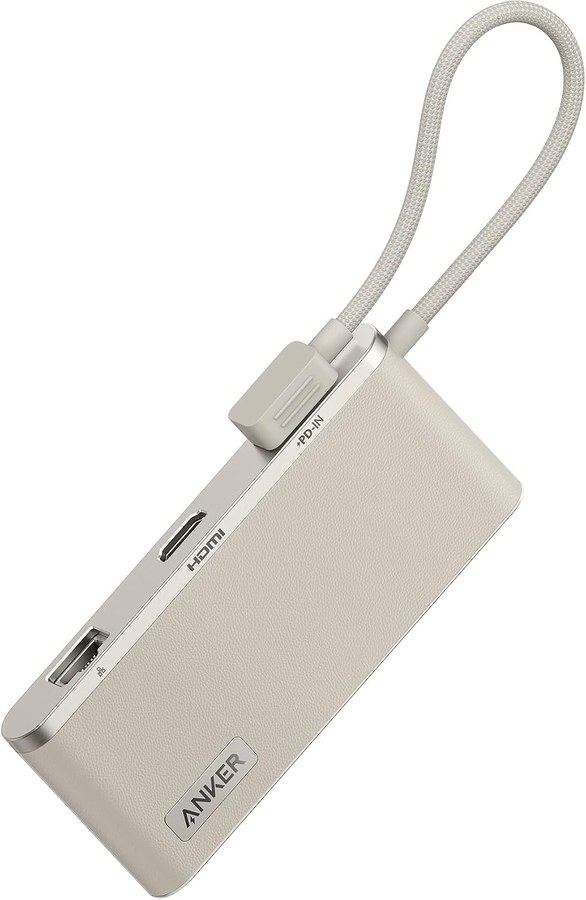
Anker 655 USB-C Hub (8-in-1)

Anker 655 USB-C Hub (8-in-1)

One cable to the laptop: 4K HDMI, gigabit Ethernet, two 10 Gbps USB-A, SD and microSD, 3.5 mm, and 100 W power delivery passthrough. Check your laptop wants 100 W or less before relying on it to charge.

View on Amazon →
BenQ ScreenBar

BenQ ScreenBar

Clamps to the top of the monitor and lights the desk without throwing glare at the screen — which is exactly what a normal desk lamp does wrong. Auto-dimming, USB powered, takes up no desk area.

View on Amazon →
BenQ ScreenBar Pro

BenQ ScreenBar Pro

The wider version, with a motion sensor and USB-C. Worth it over the standard bar for ultrawide and curved monitors, where the shorter bar leaves the edges dim. Otherwise the cheaper one does the same job.

View on Amazon →
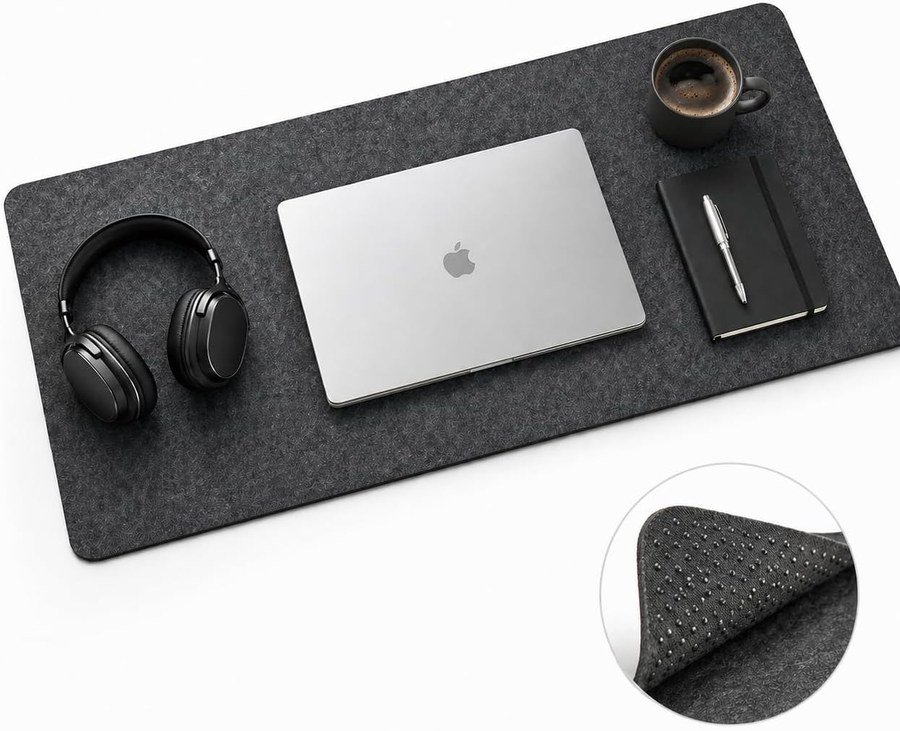
Reversible Felt Desk Mat (36 × 12 in)

Reversible Felt Desk Mat (36 × 12 in)

Least exciting item here and the one you notice daily. Gives a mouse a consistent surface on glass or laminate, protects the desk, and softens where your wrists rest. Measure your desk first — 36 inches is wide.

View on Amazon →

Buying it well

Do
  • Measure your desk before choosing a layout.
  • Pick hot-swap if you have never owned a mechanical board.
  • Sort the monitor height before upgrading the keyboard.
  • Check the hub’s power delivery matches your laptop.
Avoid
  • Buy clicky switches for a shared room.
  • Choose a 60% layout if you use arrow keys constantly.
  • Assume a heavier board types more accurately.
  • Pay for RGB expecting better feel.

The questions that decide it

Is a mechanical keyboard actually better for typing all day?

Not automatically. What helps is a comfortable switch weight, a stable case and a wrist position you can hold — a mechanical board makes those adjustable, but a low-profile scissor keyboard suits plenty of people better. The adjustability is the advantage, not the mechanism.

What layout should I start with?

75% is the safest first choice: it keeps arrow keys and a function row while dropping the numpad, so almost nothing you already do breaks. Go 60% only if desk space is genuinely tight, and 96%/full-size only if you use a numpad regularly.

Do I need QMK or VIA?

Only if you want to remap keys or record macros. If you plan to type on the default layout forever, it is a feature you will never open. It costs nothing to have, so it is not a reason to avoid a board — just not a reason to pay more either.

Which of these did you test?

None. This guide is researched, not hands-on — everything above comes from manufacturer specifications and published reviews, and we say so rather than implying we typed on all four. Switch feel in particular is subjective and we would not report ours as a verdict.

The bottom line

Buy the Keychron K2 Pro unless one of the other three describes you specifically: the Q5 Max if you need a numpad, the MX Keys S if the room can hear you, the RK61 if the desk is small or the budget is. Then spend the next thing you were going to spend on a keyboard upgrade on a monitor arm instead, because that is the change your neck will notice.

Best for: Anyone buying one keyboard and wanting it to still be the right one in two years.

Sources

Affiliate disclosure. DopamineKart is a participant in the Amazon Services LLC Associates Program. As an Amazon Associate, DopamineKart earns from qualifying purchases — at no extra cost to you, and it never changes a verdict. Sources. Recommendations are our editorial opinion; verify current specs and availability before buying.

Corrections: email us